
Skip to content
Andwin Circuits
  • Home
  • ProductsExpand
    • HDI multilayer PCB
    • Rigid Flex PCB
    • Flex pcb
    • Special PCBExpand
      • High Frequency PCBExpand
        • Rogers RO4350B PCB
        • Rogers RO4003 pcb
        • Rogers RO3003 PCB
        • Rogers 5880 PCB
        • DICLAD 527 PCB
        • Taconic TLX series
        • Taconic TLX-8 RF PCB
        • Taconic TLX-9 RF PCB
      • High speed pcbExpand
        • Megtron 6 High Speed PCB
        • TU-872 SLK Sp High Speed
      • High TG PCBExpand
        • SHENGYI SH260 PCB
        • ISOLA 370HR PCB
        • ISOLA IS410 PCB
        • ISOLA IS420 PCB
      • Heavy copper PCB
      • Copper coin pcb
      • Copper inlay PCB
    • Metal Core PCBExpand
      • Copper core pcb
      • Aluminum PCB
      • 2 Layers Aluminum PCB
      • Direct thermal MCPCB
      • 2 Layers Direct Thermal
    • Ceramic PCBExpand
      • DPC ceramic PCB
      • DBC ceramic PCB
      • Thick film Ceramic PCB
      • Al2O3 Alumina PCB
      • AIN ALN ceramic PCB
      • IGBT Ceramic PCB
  • ServiceExpand
    • PCB Assembly
    • Quick turn PCB assembly
    • PCBA conformal coating
  • IndustryExpand
    • Telecommunication
    • IoT and Wireless
    • Industrial Control
    • Thermal management
    • Power and Energy
    • IC test board
    • Automative
    • Medical
  • CapabilityExpand
    • Rigid PCB
    • Rigid flex PCB
    • Metal core PCB
    • PCB Assembly
  • TechnologyExpand
    • Blogs
    • Via in pad
    • PCB E-test
    • PCB stack up
    • MCPCB panelization
    • Controlled impedance PCB
  • AboutExpand
    • About us
    • Certification
    • Factory Tour
  • Contact
Andwin Circuits
Home / Blogs / Altium Assembly Layer: A Comprehensive Guide to Understanding and Using It

Altium Assembly Layer: A Comprehensive Guide to Understanding and Using It

ByIvy April 14, 2023June 21, 2024

Altium Assembly Layer: A Comprehensive Guide to Understanding and Using It

Altium is a popular software tool used for designing printed circuit boards (PCBs). It offers a range of features that simplify the design process and make it easier for designers to create high-quality PCBs. One of the key features of Altium is the assembly layer, which is an essential part of the PCB design process. In this article, we will provide a comprehensive guide to understanding and using the Altium assembly layer.
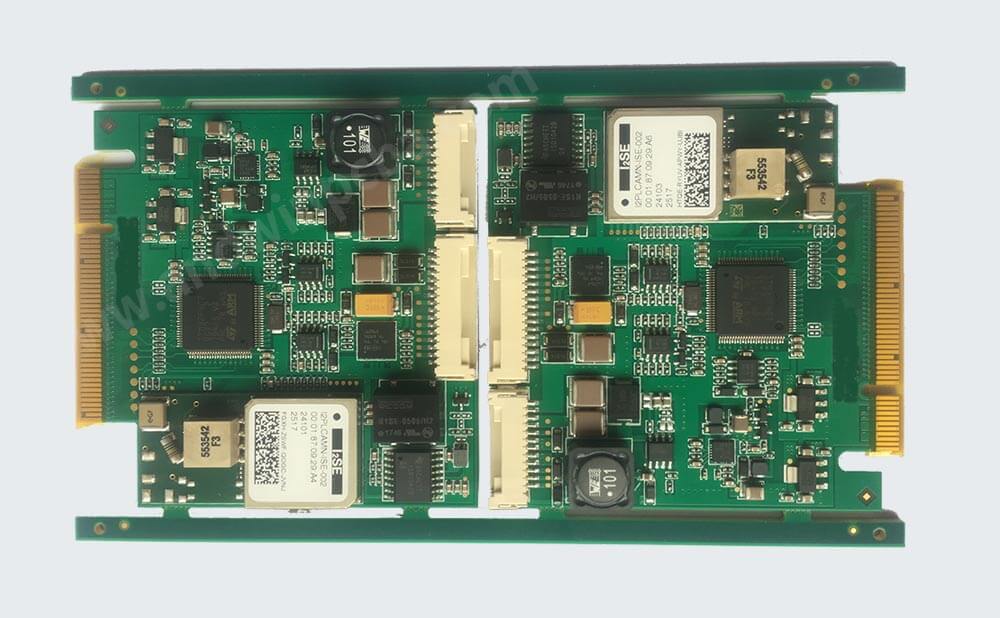
What is the Altium Assembly Layer?

The assembly layer is a layer in the Altium PCB design software that is used to create the assembly drawing of the PCB. It is also known as the mechanical layer, and it is used to show the location of components, mounting holes, and other mechanical features on the PCB. The assembly layer is an essential part of the PCB design process because it helps designers to visualize the final product and ensure that all components are placed correctly.

The assembly layer is typically used in conjunction with other layers in the PCB design process. For example, the top layer is used to show the location of the components on the top of the PCB, while the bottom layer is used to show the location of the components on the bottom of the PCB. The assembly layer is used to show the location of the components in relation to each other and to the mechanical features of the PCB.

How to Use the Altium Assembly Layer?

Using the Altium assembly layer is relatively straightforward. To create an assembly layer, you need to follow these steps:

Step 1: Open the PCB design file in Altium.

Step 2: Click on the “Layers” tab in the left-hand panel.

Step 3: Click on the “Add Layer” button.

Step 4: Select “Mechanical” from the list of layer types.

Step 5: Name the layer “Assembly” or any other name that you prefer.

Step 6: Click “OK” to create the assembly layer.
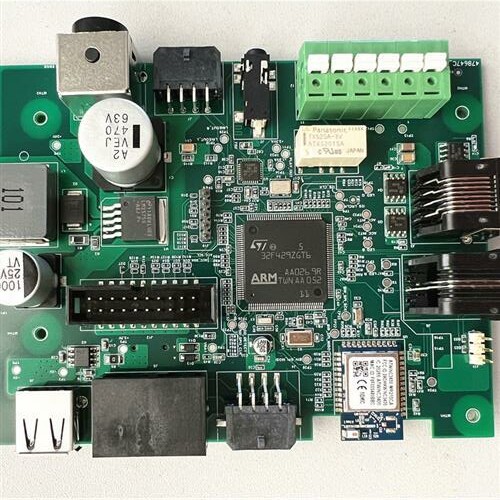
Once you have created the assembly layer, you can start adding components and mechanical features to the layer. To do this, you need to follow these steps:

Step 1: Select the “Assembly” layer from the list of layers.

Step 2: Click on the “Place Component” button in the toolbar.

Step 3: Select the component that you want to add to the assembly layer.

Step 4: Place the component on the assembly layer.

Step 5: Repeat steps 2-4 for all components that you want to add to the assembly layer.

In addition to adding components to the assembly layer, you can also add mechanical features such as mounting holes, cutouts, and slots. To add a mechanical feature, you need to follow these steps:

Step 1: Select the “Assembly” layer from the list of layers.

Step 2: Click on the “Place Line” button in the toolbar.

Step 3: Draw the line to represent the mechanical feature.

Step 4: Repeat steps 2-3 for all mechanical features that you want to add to the assembly layer.

Benefits of Using the Altium Assembly Layer

Using the Altium assembly layer offers several benefits to PCB designers. Some of the key benefits include:

1. Improved Visualization: The assembly layer helps designers to visualize the final product and ensure that all components are placed correctly.

2. Simplified Design Process: The assembly layer simplifies the design process by allowing designers to add components and mechanical features to the PCB design.

3. Increased Efficiency: Using the assembly layer can help designers to work more efficiently by reducing the time and effort required to create the assembly drawing.

Conclusion

The Altium assembly layer is an essential part of the PCB design process. It helps designers to visualize the final product and ensure that all components are placed correctly. Using the assembly layer is relatively straightforward, and it offers several benefits to PCB designers. By following the steps outlined in this article, you can create an assembly layer in Altium and start adding components and mechanical features to your PCB design.

GET IN TOUCH!

Post navigation

Previous Previous
PCB Fabrication and Assembly: The Importance of Quality and Precision
NextContinue
How to choose pcb manufacturing and assembly usa?

Search

Search

Products

  • HDI Multilayer PCB
  • Rigid Flex PCB
  • Flex pcb
  • High Frequency PCB
  • High speed pcb
  • Heavy copper PCB
  • Metal Core PCB
  • Ceramic PCB

Address

Andwin Circuits Co.,Limited
Email: sales@andwinpcb.com
Tel: +86 755 2832 9394
Fax:+86 755 2992  6717
ADD:1-2F-1217,HouDeQun Industrial park,
NanTing RD NO.56,ShaJing,BaoAn,Shenzhen 518104,GuangDong,China

Products

  • HDI Multilayer PCB
  • Rigid Flex PCB
  • Flex pcb
  • High Frequency PCB
  • High speed pcb
  • Heavy copper PCB
  • Metal Core PCB
  • Ceramic PCB

Technology

  • Blogs
  • Via in pad
  • PCB E-test
  • PCB stack up
  • Metal core PCB panelization
  • Controlled impedance PCB

CERTIFICATION

Certification >>


Copyright© 2003 - 2026 Andwin | All Rights Reserved | Powered by Andwin

Scroll to top
  • Home
  • Products
    • HDI multilayer PCB
    • Rigid Flex PCB
    • Flex pcb
    • Special PCB
      • High Frequency PCB
        • Rogers RO4350B PCB
        • Rogers RO4003 pcb
        • Rogers RO3003 PCB
        • Rogers 5880 PCB
        • DICLAD 527 PCB
        • Taconic TLX series
        • Taconic TLX-8 RF PCB
        • Taconic TLX-9 RF PCB
      • High speed pcb
        • Megtron 6 High Speed PCB
        • TU-872 SLK Sp High Speed
      • High TG PCB
        • SHENGYI SH260 PCB
        • ISOLA 370HR PCB
        • ISOLA IS410 PCB
        • ISOLA IS420 PCB
      • Heavy copper PCB
      • Copper coin pcb
      • Copper inlay PCB
    • Metal Core PCB
      • Copper core pcb
      • Aluminum PCB
      • 2 Layers Aluminum PCB
      • Direct thermal MCPCB
      • 2 Layers Direct Thermal
    • Ceramic PCB
      • DPC ceramic PCB
      • DBC ceramic PCB
      • Thick film Ceramic PCB
      • Al2O3 Alumina PCB
      • AIN ALN ceramic PCB
      • IGBT Ceramic PCB
  • Service
    • PCB Assembly
    • Quick turn PCB assembly
    • PCBA conformal coating
  • Industry
    • Telecommunication
    • IoT and Wireless
    • Industrial Control
    • Thermal management
    • Power and Energy
    • IC test board
    • Automative
    • Medical
  • Capability
    • Rigid PCB
    • Rigid flex PCB
    • Metal core PCB
    • PCB Assembly
  • Technology
    • Blogs
    • Via in pad
    • PCB E-test
    • PCB stack up
    • MCPCB panelization
    • Controlled impedance PCB
  • About
    • About us
    • Certification
    • Factory Tour
  • Contact
Search