
Skip to content
Andwin Circuits
  • Home
  • ProductsExpand
    • HDI multilayer PCB
    • Rigid Flex PCB
    • Flex pcb
    • Special PCBExpand
      • High Frequency PCBExpand
        • Rogers RO4350B PCB
        • Rogers RO4003 pcb
        • Rogers RO3003 PCB
        • Rogers 5880 PCB
        • DICLAD 527 PCB
        • Taconic TLX series
        • Taconic TLX-8 RF PCB
        • Taconic TLX-9 RF PCB
      • High speed pcbExpand
        • Megtron 6 High Speed PCB
        • TU-872 SLK Sp High Speed
      • High TG PCBExpand
        • SHENGYI SH260 PCB
        • ISOLA 370HR PCB
        • ISOLA IS410 PCB
        • ISOLA IS420 PCB
      • Heavy copper PCB
      • Copper coin pcb
      • Copper inlay PCB
    • Metal Core PCBExpand
      • Copper core pcb
      • Aluminum PCB
      • 2 Layers Aluminum PCB
      • Direct thermal MCPCB
      • 2 Layers Direct Thermal
    • Ceramic PCBExpand
      • DPC ceramic PCB
      • DBC ceramic PCB
      • Thick film Ceramic PCB
      • Al2O3 Alumina PCB
      • AIN ALN ceramic PCB
      • IGBT Ceramic PCB
  • ServiceExpand
    • PCB Assembly
    • Quick turn PCB assembly
    • PCBA conformal coating
  • IndustryExpand
    • Telecommunication
    • IoT and Wireless
    • Industrial Control
    • Thermal management
    • Power and Energy
    • IC test board
    • Automative
    • Medical
  • CapabilityExpand
    • Rigid PCB
    • Rigid flex PCB
    • Metal core PCB
    • PCB Assembly
  • TechnologyExpand
    • Blogs
    • Via in pad
    • PCB E-test
    • PCB stack up
    • MCPCB panelization
    • Controlled impedance PCB
  • AboutExpand
    • About us
    • Certification
    • Factory Tour
  • Contact
Andwin Circuits
Home / Blogs / Differences and usages of Fill, Polygon Pour, and Plane in Altium

Differences and usages of Fill, Polygon Pour, and Plane in Altium

ByGrace February 7, 2025February 6, 2025

Fill means drawing a solid copper sheet, connecting all the connections and vias in the area together, regardless of whether they belong to the same network. If there are two networks, VCC and GND, in the drawn area, the Fill command will connect the elements of these two networks together, which may cause a short circuit.

Polygon Pour: pouring copper.

Its function is similar to Fill, and it also draws a large area of ​​copper sheet; but the difference lies in the word “pour”. Pour copper has unique intelligence and will actively distinguish the networks of vias and solder joints in the copper pouring area. If the via and solder joint belong to the same network, pour copper will connect the via, solder joint and copper sheet together according to the set rules. Otherwise, the copper sheet will maintain a safe distance from the via and solder joint. The intelligence of pouring copper is also reflected in its ability to automatically delete dead copper.

Polygon Pour Cutout: Establish a copper cutting area in the copper pouring area. For example, some important networks or components need to be hollowed out at the bottom, such as common RF signals. There is also the RJ45 area under the transformer.

Polygon Pour: Cut the copper pouring area. For example, if the copper pouring needs to be optimized or reduced, Line can be used to split it into two copper pouring areas in the reduced area, and the unwanted copper pouring area can be directly deleted.
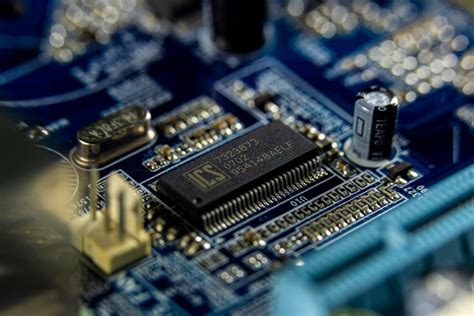
In summary, Fill will cause short circuits, so why use it?

Although Fill has its shortcomings, it also has its use environment. For example, when there are high-current power chips such as LM7805 and AMC2576, a large area of ​​copper is required to dissipate heat for the chip. There can only be one network on this copper sheet, and the Fill command is just right.

Therefore, the Fill command is often used in the early stages of circuit board design. After the layout is completed, use Fill to draw all special areas to avoid mistakes in the subsequent design process.

In short, in the process of circuit board design, these two tools are used in conjunction with each other.

Plane: Plane layer (negative film), suitable for the whole board with only one power supply or ground network. If there are multiple power supplies or ground networks, you can use line to draw a closed box in a certain power supply or ground area, and then double-click the closed box to assign the corresponding power supply or ground network to this area. It can reduce a lot of engineering data compared to add layer (positive film layer), and the computer’s response speed is faster when processing high-speed PCB. The benefits of plane can be deeply experienced in the process of revision or modification.

Good method 1: When repairing copper, you can use PLANE [shortcut key P+Y] to repair obtuse angles.

Good method 2: Select the copper skin that needs to be repaired, and the shortcut key M+G can adjust the shape of the copper skin at will.

Contact us for PCB quote now |

Post Tags: #aluminum clad pcb#aluminum core pcb#aluminum core pcb led#aluminum pcb#assemble pcb

Post navigation

Previous Previous
PCB Cooling Technology and Heat Dissipation of IC Packages
NextContinue
Two key processes for PCB rework

Search

Search

Products

  • HDI Multilayer PCB
  • Rigid Flex PCB
  • Flex pcb
  • High Frequency PCB
  • High speed pcb
  • Heavy copper PCB
  • Metal Core PCB
  • Ceramic PCB

Address

Andwin Circuits Co.,Limited
Email: sales@andwinpcb.com
Tel: +86 755 2832 9394
Fax:+86 755 2992  6717
ADD:1-2F-1217,HouDeQun Industrial park,
NanTing RD NO.56,ShaJing,BaoAn,Shenzhen 518104,GuangDong,China

Products

  • HDI Multilayer PCB
  • Rigid Flex PCB
  • Flex pcb
  • High Frequency PCB
  • High speed pcb
  • Heavy copper PCB
  • Metal Core PCB
  • Ceramic PCB

Technology

  • Blogs
  • Via in pad
  • PCB E-test
  • PCB stack up
  • Metal core PCB panelization
  • Controlled impedance PCB

CERTIFICATION

Certification >>


Copyright© 2003 - 2026 Andwin | All Rights Reserved | Powered by Andwin

Scroll to top
  • Home
  • Products
    • HDI multilayer PCB
    • Rigid Flex PCB
    • Flex pcb
    • Special PCB
      • High Frequency PCB
        • Rogers RO4350B PCB
        • Rogers RO4003 pcb
        • Rogers RO3003 PCB
        • Rogers 5880 PCB
        • DICLAD 527 PCB
        • Taconic TLX series
        • Taconic TLX-8 RF PCB
        • Taconic TLX-9 RF PCB
      • High speed pcb
        • Megtron 6 High Speed PCB
        • TU-872 SLK Sp High Speed
      • High TG PCB
        • SHENGYI SH260 PCB
        • ISOLA 370HR PCB
        • ISOLA IS410 PCB
        • ISOLA IS420 PCB
      • Heavy copper PCB
      • Copper coin pcb
      • Copper inlay PCB
    • Metal Core PCB
      • Copper core pcb
      • Aluminum PCB
      • 2 Layers Aluminum PCB
      • Direct thermal MCPCB
      • 2 Layers Direct Thermal
    • Ceramic PCB
      • DPC ceramic PCB
      • DBC ceramic PCB
      • Thick film Ceramic PCB
      • Al2O3 Alumina PCB
      • AIN ALN ceramic PCB
      • IGBT Ceramic PCB
  • Service
    • PCB Assembly
    • Quick turn PCB assembly
    • PCBA conformal coating
  • Industry
    • Telecommunication
    • IoT and Wireless
    • Industrial Control
    • Thermal management
    • Power and Energy
    • IC test board
    • Automative
    • Medical
  • Capability
    • Rigid PCB
    • Rigid flex PCB
    • Metal core PCB
    • PCB Assembly
  • Technology
    • Blogs
    • Via in pad
    • PCB E-test
    • PCB stack up
    • MCPCB panelization
    • Controlled impedance PCB
  • About
    • About us
    • Certification
    • Factory Tour
  • Contact
Search