
EagleSoft PCB: A Comprehensive Overview
Introduction
Printed Circuit Boards (PCBs) are the backbone of modern electronics, enabling the interconnection of electronic components in devices ranging from smartphones to industrial machinery. Designing PCBs requires specialized software that offers precision, flexibility, and efficiency. Among the many PCB design tools available, EagleSoft PCB (often associated with Autodesk’s EAGLE software) stands out as a powerful solution for engineers, hobbyists, and manufacturers. This article explores EagleSoft PCB, its features, advantages, applications, and its role in the evolving electronics industry.
1. What is EagleSoft PCB?
EagleSoft PCB refers to PCB design tools derived from EAGLE (Easily Applicable Graphical Layout Editor), a widely used software for schematic capture and PCB layout. Originally developed by CadSoft Computer GmbH and later acquired by Autodesk, EAGLE has been rebranded and integrated into Autodesk’s suite of design tools.
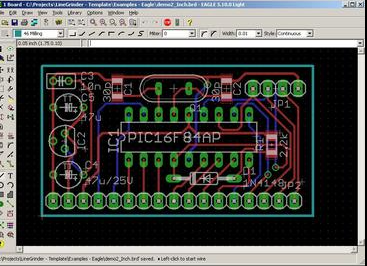
EagleSoft PCB provides a user-friendly yet powerful environment for designing circuit boards, offering features such as:
- Schematic Capture – Creating electronic circuit diagrams.
- PCB Layout Design – Designing the physical board layout.
- Autorouting – Automated trace routing for efficient connections.
- Library Management – Access to extensive component libraries.
- Design Rule Checking (DRC) – Ensuring manufacturability and compliance with industry standards.
2. Key Features of EagleSoft PCB
2.1. Schematic Design
EagleSoft PCB allows engineers to create detailed schematics, which serve as blueprints for PCB layouts. Key functionalities include:
- Hierarchical Schematics – Organizing complex designs into manageable blocks.
- Component Libraries – Access to thousands of pre-built components.
- Netlist Generation – Automatically generating connections between components.
2.2. PCB Layout
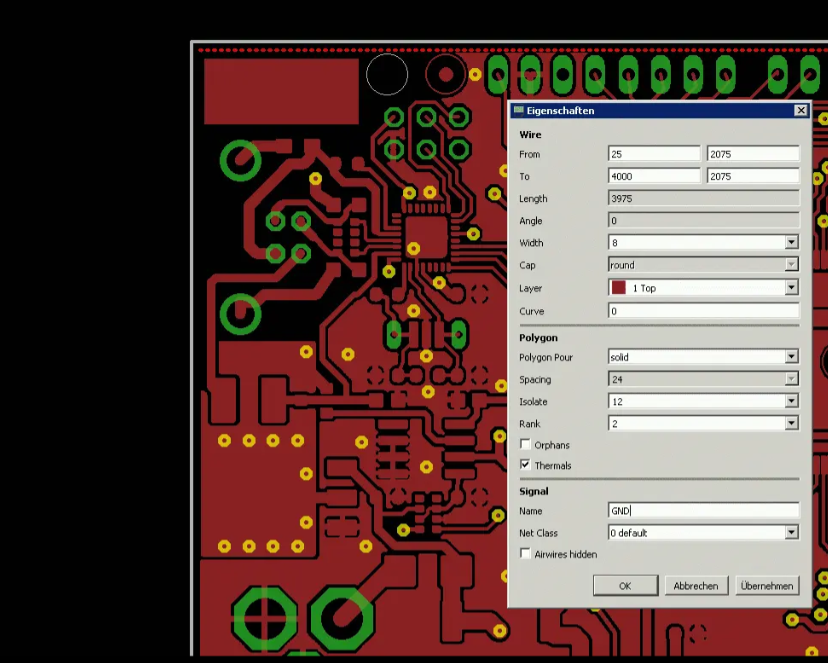
The PCB layout module provides tools for:
- Layer Management – Supporting multi-layer PCB designs (up to 16 layers in premium versions).
- Interactive Routing – Manual and semi-automatic routing options.
- 3D Visualization – Previewing the PCB in 3D before manufacturing.
- Gerber File Export – Generating industry-standard files for fabrication.
2.3. Autorouter
EagleSoft PCB includes an autorouter that optimizes trace paths, reducing manual effort while maintaining signal integrity. Users can adjust routing parameters to meet specific design constraints.
2.4. Design Rule Checking (DRC)
DRC ensures that PCB designs adhere to manufacturing constraints, such as:
- Minimum trace width
- Clearance between components
- Drill hole sizes
This minimizes errors before sending designs to fabrication.
2.5. Integration with Autodesk Ecosystem
Since Autodesk’s acquisition, EagleSoft PCB integrates with other Autodesk tools like Fusion 360, enabling seamless transitions between PCB design and mechanical CAD (MCAD) for enclosure design and prototyping.
3. Advantages of EagleSoft PCB
3.1. User-Friendly Interface
EagleSoft PCB balances simplicity and advanced functionality, making it accessible to beginners while offering deep customization for experts.
3.2. Extensive Component Libraries
The software includes a vast library of components, reducing the need for manual symbol and footprint creation.
3.3. Cross-Platform Compatibility
Available for Windows, macOS, and Linux, EagleSoft PCB supports a wide range of users.
3.4. Affordable Licensing Options
Autodesk offers free versions for hobbyists (with size limitations) and subscription-based plans for professionals.
3.5. Strong Community Support
A large user community and online forums provide tutorials, custom scripts, and troubleshooting assistance.
4. Applications of EagleSoft PCB
EagleSoft PCB is used across various industries, including:
- Consumer Electronics – Designing PCBs for smartphones, wearables, and IoT devices.
- Automotive – Developing control modules and infotainment systems.
- Industrial Automation – Creating robust PCBs for machinery and robotics.
- Medical Devices – Ensuring precision in diagnostic and monitoring equipment.
- Aerospace & Defense – Meeting high-reliability standards for avionics and communication systems.
5. Comparison with Other PCB Design Tools
While EagleSoft PCB is a strong contender, it competes with other tools like:
| Feature | EagleSoft PCB | KiCad | Altium Designer | OrCAD |
|---|---|---|---|---|
| Cost | Moderate (Free tier available) | Free | Expensive | High |
| Ease of Use | User-friendly | Steeper learning curve | Professional-grade | Complex |
| 3D Modeling | Yes (Fusion 360 integration) | Basic | Advanced | Limited |
| Autorouting | Yes | Yes | Advanced | Yes |
| Library Support | Extensive | Large community libraries | Comprehensive | Industry-standard |
EagleSoft PCB strikes a balance between affordability and functionality, making it ideal for startups, hobbyists, and mid-sized companies.
6. Future Trends in PCB Design & EagleSoft’s Role
The PCB industry is evolving with trends like:
- High-Speed PCB Design – Supporting faster signal integrity analysis.
- Flexible & Rigid-Flex PCBs – Adapting to wearable and compact devices.
- AI-Assisted Design – Automating routing and optimization.
- Cloud Collaboration – Enabling real-time team-based design.
Autodesk is likely to enhance EagleSoft PCB with AI-driven autorouting, better simulation tools, and tighter Fusion 360 integration.
7. Conclusion
EagleSoft PCB remains a top choice for PCB designers due to its versatility, ease of use, and strong feature set. Whether for prototyping or mass production, it provides the necessary tools to bring electronic designs to life. As technology advances, EagleSoft PCB will continue to adapt, ensuring its relevance in the fast-paced world of electronics.
For engineers and hobbyists alike, mastering EagleSoft PCB opens doors to innovation, enabling the creation of cutting-edge electronic devices that power the future.