
How to make your PCB design better
Many people think that PCB layout work is very boring. Every day, facing thousands of lines on the board, various packages, and repeating the work of pulling wires. However, designers have to make trade-offs between various design rules, taking into account performance, cost, process and other aspects, and paying attention to the reasonable and neat layout of the board. It is not as simple as it seems, and requires more wisdom. Let’s talk about developing some good working habits during design, which will make your design more reasonable, easier to produce, and better performance.
(I) Draw a good schematic
Many engineers think that layout work is more important. The schematic is to generate a netlist for PCB inspection. In fact, the role of the schematic will be greater in the subsequent circuit debugging process. Whether it is to find problems or communicate with colleagues, the schematic is more intuitive and convenient. In addition, develop the habit of marking in the schematic, marking the problems that need to be paid attention to when laying out each part of the circuit on the schematic, which is a good reminder for yourself or others. Hierarchical schematics divide circuits with different functions and modules into different pages, so that whether it is reading the diagram or reusing it later, it can significantly reduce the workload. Using a mature design is always less risky than designing a new circuit. Every time I see all the circuits put on a drawing, a densely packed piece of devices, my head will be a circle.
(II) Do a good job of circuit layout
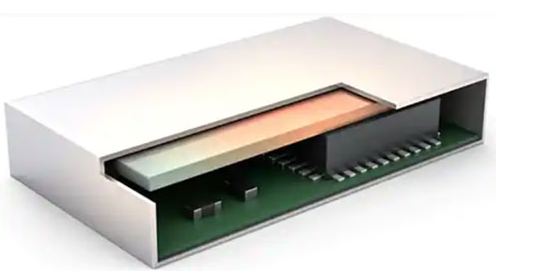
After the impatient engineer draws the schematic and imports the netlist into the PCB, he can’t wait to put the devices in place and start pulling wires. In fact, a good PCB layout can make your subsequent pulling work easier and make your PCB work better. Each board will have a signal path, and the PCB layout should also try to follow this signal path so that the signal can be transmitted smoothly on the board. People don’t like to walk through a maze, and the same is true for signals. If the schematic is designed according to the module, the PCB can be the same. The board can be divided into several areas according to different functional modules. Separate analog and digital, separate power signals, separate heat-generating devices and sensitive devices, don’t put large devices too close to the edge of the board, pay attention to the shielding of RF signals, etc. Spend a little more time to optimize the PCB layout, you can save more time when pulling wires.
(III) Learn to set rules
In fact, not only advanced PCB design software needs to set wiring rules, but some simple and easy-to-use PCB tools can also set rules. After all, the human brain is not a machine, so it is inevitable that there will be negligence and mistakes. So set some easily overlooked problems into the rules, let the computer help us check, and try to avoid making some low-level mistakes. In addition, perfect rule settings can better regulate the subsequent work. As the saying goes, sharpening the knife does not delay the chopping of wood. The more complex the scale of the board, the more important the rule setting is. Now many EDA tools have automatic wiring functions. If the rule settings are detailed enough, let the tool help you design by itself, and you can drink a cup of coffee on the side. Isn’t it more pleasant?
(IV) The more you consider others, the less work you do
When designing PCBs, try to consider the needs of end users as much as possible. For example, if you are designing a development board, then when designing the PCB, you should consider placing more silk screen information, so that it will be more convenient when using it, without having to look up the schematic or find the designer for support. If you are designing a mass-produced product, you need to consider more of the problems that will be encountered on the production line. The same type of devices should be in the same direction as much as possible, whether the device spacing is appropriate, the width of the process edge of the board, etc. The earlier these problems are considered, the less they will affect the subsequent design, and the workload of the subsequent support and the number of board changes can also be reduced. It seems that the time spent on the initial design has increased, but in fact it has reduced your subsequent workload. When the board space signal allows, try to place more test points to improve the testability of the board, so that you can also save more time in the subsequent debugging stage and provide more ideas for finding problems.
(V) Details determine success or failure
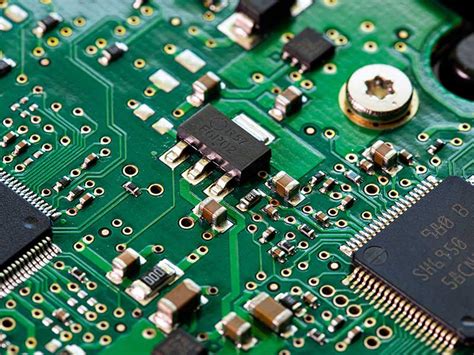
PCB design is a meticulous job that requires carefulness and patience. The mistakes that novices who are just starting to design often make are some details. The device pins are wrong, the device package is used incorrectly, the pin sequence is drawn in reverse, etc. Some of them can be solved by flying wires, and some may turn a board directly into waste. Check it more when drawing the package, print out the package before submitting the board and compare it with the actual device. Take a closer look and check it more. It is not obsessive-compulsive disorder, but just try to avoid these low-level mistakes that are easy to make. Otherwise, no matter how good the design is, if it is full of flying wires, it is far from being excellent.
(VI) Try to do simulation
Simulation is often something that PCB design engineers are reluctant to touch. Some people may say that even if I simulate, there will still be a difference between the actual PCB and the simulation result, so why should I waste time on simulation? Wouldn’t the board I made without simulation work just as well? I am helpless with this idea. Just because there is no problem with one or two designs does not mean that there will be no problems in the future. Although there are differences between the simulation results and the actual results, the simulation can show the correct trend of changes, and we can make our own judgments based on the trend. It may be difficult at the beginning, and it is normal to be confused about the simulation parameters and simulation models. As long as you start, do it slowly, and accumulate slowly, you will realize the importance of simulation. Before the board is completed, determine the location that is prone to problems in advance, solve it in advance, and avoid the occurrence of problems. The more simulations you do, the fundamental cause of the problem will be understood, which will also be of great help to improve your design ability.