
Recommended PCB Design Software: A Comprehensive Guide
Printed Circuit Board (PCB) design is a critical step in electronics development, requiring specialized software tools that balance powerful features with usability. Whether you’re a hobbyist working on Arduino projects or a professional engineer designing complex multilayer boards, choosing the right PCB design software can significantly impact your productivity and the quality of your final product. This 2000-word guide explores the top PCB design solutions available today, examining their features, strengths, and ideal use cases.
Introduction to PCB Design Software
PCB design software provides the digital environment where engineers transform circuit schematics into physical board layouts. These tools typically offer:
- Schematic capture capabilities
- Component library management
- PCB layout and routing tools
- Design rule checking (DRC)
- 3D visualization
- Manufacturing file generation (Gerber, drill files, etc.)
The market offers solutions ranging from free open-source tools to professional-grade packages costing thousands of dollars. Your choice depends on factors like project complexity, budget, and required features.
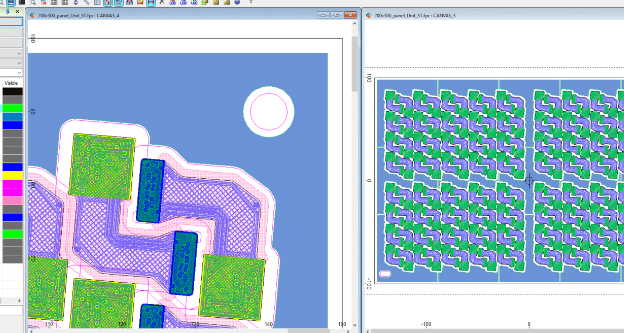
Top Professional PCB Design Software
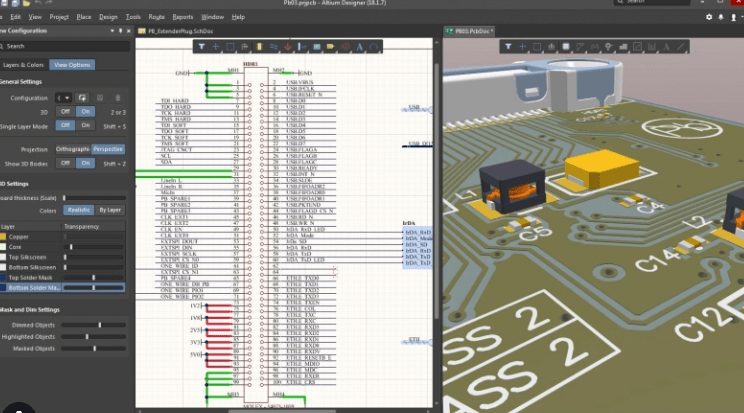
1. Altium Designer
Overview: The industry standard for professional PCB design, Altium offers unparalleled capabilities for complex designs.
Key Features:
- Unified design environment (schematic, PCB, FPGA)
- Advanced routing technologies (interactive, differential pair, length tuning)
- Comprehensive component libraries
- Real-time 3D visualization and MCAD integration
- Cloud collaboration features
- Rigorous design rule checking
Best For: Professional engineers and organizations working on sophisticated, high-density designs.
Pricing: Approximately $7,000 per license (annual subscription)
2. Cadence OrCAD/Allegro
Overview: A powerful solution favored by many large electronics companies, offering scalable options from OrCAD for smaller designs to Allegro for enterprise-level projects.
Key Features:
- Constraint-driven design methodology
- Advanced signal integrity analysis
- HDI (High Density Interconnect) support
- Team design collaboration tools
- Extensive simulation capabilities
Best For: Medium to large enterprises working on high-speed digital or RF designs.
Pricing: $2,300-$10,000+ depending on configuration
3. Mentor Xpedition (Now part of Siemens EDA)
Overview: A high-end solution offering exceptional capabilities for complex, high-speed designs.
Key Features:
- Hierarchical design methodology
- Advanced IC packaging and co-design
- Powerful autorouting options
- Comprehensive DFM analysis
- System-level design integration
Best For: Large organizations designing advanced electronics systems.
Pricing: Contact vendor for enterprise pricing
Mid-Range PCB Design Solutions
4. Autodesk Eagle
Overview: Popular among professionals and advanced hobbyists, now part of the Autodesk ecosystem.
Key Features:
- Extensive component libraries
- Scripting capabilities (ULP)
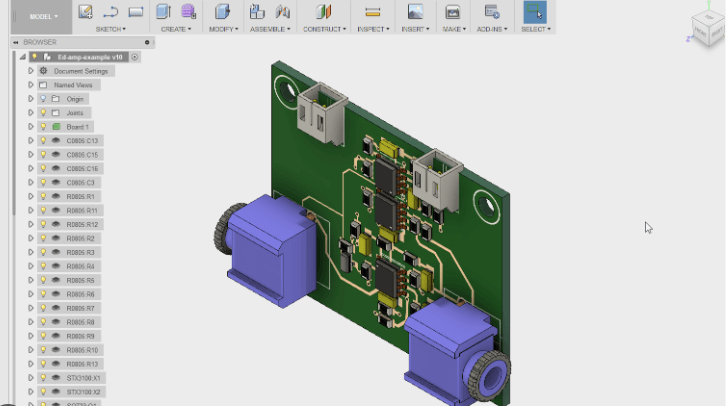
- Integration with Fusion 360 for mechanical design
- Cloud-based collaboration
- Affordable subscription options
Best For: Small businesses, startups, and serious makers.
Pricing: $15-$100/month depending on features
5. KiCad
Overview: The leading open-source PCB design tool with professional-grade capabilities.
Key Features:
- Completely free and open-source
- Growing community and component libraries
- Good schematic capture and PCB layout
- Basic 3D visualization
- Cross-platform (Windows, Mac, Linux)
Best For: Hobbyists, students, and budget-conscious professionals.
Pricing: Free
6. DipTrace
Overview: An affordable yet capable Windows-based solution that scales from simple to complex designs.
Key Features:
- Intuitive interface
- Smart manual routing
- 3D preview and STEP export
- Good library management
- Affordable upgrade path
Best For: Small businesses and individual engineers needing professional features at reasonable cost.
Pricing: $145-$1,295 depending on features

Specialized and Emerging Tools
7. CircuitMaker
Overview: Altium’s free community-based PCB design tool with professional DNA.
Key Features:
- Altium’s powerful engine
- Cloud-based component sharing
- Community design sharing
- No commercial use allowed
Best For: Hobbyists and open hardware developers.
Pricing: Free
8. EasyEDA
Overview: A completely web-based PCB design tool with integrated component sourcing.
Key Features:
- Runs in browser (no installation)
- Integrated with JLCPCB for manufacturing
- Basic simulation capabilities
- Collaboration features
Best For: Quick prototyping and educational use.
Pricing: Free with paid professional options
9. Upverter
Overview: A modern, cloud-based PCB design platform focusing on collaboration.
Key Features:
- Real-time team collaboration
- Version control
- Modular design approach
- API for customization
Best For: Distributed engineering teams and agile development.
Pricing: Free to $900/month for organizations
Choosing the Right PCB Design Software
Consider these factors when selecting your PCB design tool:
- Project Complexity:
Simple 2-layer boards can be designed with basic tools, while high-speed, high-density designs require advanced features like length matching and signal integrity analysis. - Budget:
Balance upfront costs against productivity gains. Free tools may suffice for simple projects but could cost more in labor for complex designs. - Team Collaboration:
Cloud-based tools facilitate teamwork, while traditional packages may require additional infrastructure. - Manufacturing Needs:
Ensure the software can generate all required output files for your fabrication and assembly partners. - Learning Curve:
Professional tools offer more features but require significant training. Consider your team’s existing knowledge. - Integration:
Many engineers prefer tools that integrate with their MCAD, simulation, or version control systems.
Emerging Trends in PCB Design Software
The PCB design software landscape continues to evolve with several notable trends:
- Cloud-Based Solutions:
More tools are moving to the cloud, enabling collaboration and access from anywhere. - AI-Assisted Design:
Machine learning is being applied to routing optimization and component placement. - 3D Co-Design:
Tighter integration between PCB and mechanical design tools for better form factor optimization. - Subscription Models:
Traditional perpetual licenses are giving way to subscription-based access. - Open Component Libraries:
Growing ecosystems of shared components to reduce library creation time.
Learning Resources
Most PCB software vendors offer extensive learning materials:
- Official documentation and tutorials
- Video courses (often on platforms like Udemy)
- Community forums
- YouTube channels dedicated to PCB design
- University and maker space workshops
Investing time in proper training can dramatically improve your productivity with any PCB design tool.
Conclusion
The ideal PCB design software depends entirely on your specific needs, budget, and expertise level. Professionals working on complex designs will benefit from investing in high-end tools like Altium Designer or Cadence Allegro, while hobbyists and students can accomplish remarkable work with free options like KiCad or CircuitMaker.
As the electronics industry continues to advance, PCB design tools are becoming more powerful yet more accessible. The current landscape offers solutions for every type of user, from browser-based simple editors to sophisticated enterprise design platforms. By carefully evaluating your requirements against the available options, you can select a PCB design solution that will serve you well through many successful projects.
Remember that mastering any PCB tool takes time and practice. Many professionals start with simpler solutions and gradually progress to more advanced tools as their needs evolve. Whatever your choice, the most important factor is developing solid PCB design fundamentals that transcend any particular software package.