
The Evolution of Gaming: NES Joypad to USB Adapters and Their Impact on Modern Gaming
Introduction
The Nintendo Entertainment System (NES) joypad, introduced in 1985, revolutionized home gaming with its simple yet effective design. Nearly four decades later, this iconic controller remains beloved by retro gaming enthusiasts. The development of NES joypad to USB adapters has bridged the gap between classic gaming and modern computing, allowing players to experience nostalgia with contemporary convenience. This 2000-word article explores the technical aspects, historical significance, and cultural impact of these adapters, as well as their applications in today’s gaming landscape.
The Legacy of the NES Joypad
Design and Innovation
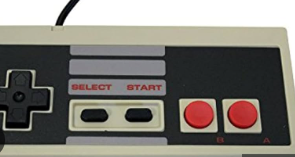
The original NES controller featured a rectangular shape with a directional pad (D-pad) on the left, two action buttons (A and B) on the right, and Start/Select buttons in the center. This minimalist design became the blueprint for future controllers. Unlike the joysticks common in arcades and earlier home systems like the Atari 2600, the D-pad offered precise digital control that worked perfectly with 2D games.
Technical Specifications
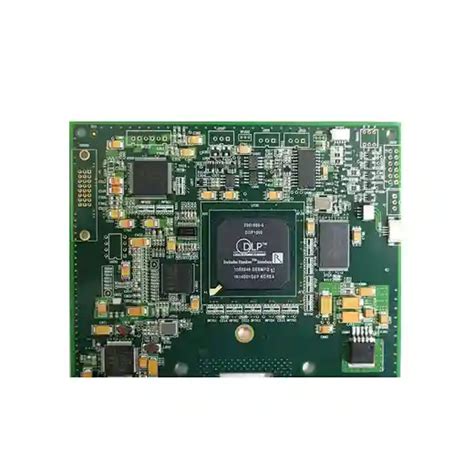
The NES joypad used a simple serial communication protocol with a 4021 shift register chip inside the controller. When the console sent a latch signal, the controller would sample the state of all buttons and make this data available bit by bit through a clock signal. This efficient design required only three wires for communication (plus ground and power), making it technically straightforward to interface with modern systems.
The Need for USB Adaptation
Preservation of Classic Gaming
As original NES hardware ages and CRT televisions become scarce, emulation has become the primary way many experience classic games. USB adapters allow players to use authentic controllers rather than trying to replicate the feel with modern gamepads or keyboard controls.
Authentic Gameplay Experience
Many retro games were designed with the NES controller’s specific button layout and tactile response in mind. Platformers like Super Mario Bros. and action games like Mega Man feel fundamentally different when played with anything other than the original controller. The membrane buttons and distinctive D-pad provide tactile feedback that’s difficult to replicate.
Speedrunning and Competitive Play
The retro gaming competitive community often requires original controllers for authenticity in speedrunning tournaments. USB adapters enable these players to practice on their computers while maintaining the same muscle memory they’ll need for competition on original hardware.
Technical Implementation of NES to USB Adapters
Basic Functionality
Modern NES-to-USB adapters typically contain a microcontroller that:
- Reads the original controller’s signals
- Translates them to USB HID (Human Interface Device) protocol
- Presents the controller to the computer as a standard gamepad
Circuit Design
Most adapters use an approach similar to:
- Providing 5V power to the controller (often stepped down from USB’s 5V)
- Generating the latch and clock signals needed to read button states
- Using a microcontroller (like an Arduino or dedicated USB chip) to read the serial data
- Translating button presses into USB gamepad signals
Advanced Features in Modern Adapters
Contemporary adapters often include:
- Support for multiple controller types (NES, SNES, N64)
- Programmable buttons and macros
- Turbo fire functionality
- Switchable modes for different emulators or systems
- USB-C connectivity for modern computers
Popular NES to USB Adapter Solutions
Commercial Options
- Mayflash NES Adapter: Supports two controllers with plug-and-play functionality
- Raphnet Adapters: Known for low-latency, high-quality conversions
- RetroUSB Adaptors: Offers versatility with support for multiple console controllers
DIY Solutions
Many hobbyists create their own adapters using:
- Arduino boards (like the Leonardo with native USB support)
- Raspberry Pi Pico
- Dedicated USB converter chips
Open-source firmware like “NintendoRetro” allows customization of button mapping and functionality.
Software Considerations
Driver Requirements
Most modern adapters are class-compliant USB HID devices, requiring no special drivers on Windows, macOS, or Linux. The operating system recognizes them as standard game controllers.
Emulator Configuration
Popular emulators like Nestopia, FCEUX, and RetroArch easily recognize USB adapters. Configuration typically involves:
- Selecting the USB gamepad as input device
- Mapping the physical buttons to emulator functions
- Adjusting analog stick dead zones (if applicable)
- Configuring turbo buttons if supported
Latency: The Critical Factor
Understanding Input Delay
For fast-paced NES games, even milliseconds of additional latency can affect gameplay. Quality adapters aim to minimize this through:
- Efficient polling of controller state
- Direct USB reporting without unnecessary processing
- High-quality components with stable timing
Measuring and Comparing Adapters
Enthusiasts have developed various methods to test adapter latency, including:
- High-speed cameras comparing button press to on-screen action
- Specialized test ROMs that measure input delay
- Oscilloscope measurements of electrical signals
Creative Uses Beyond Emulation
Modern Game Development
Indie developers creating retro-style games often use NES controllers via USB for:
- Authentic playtesting
- Streamer engagement during development
- Special promotional events
Music Production
Some chiptune artists map NES controllers to digital audio workstation (DAW) controls for live performances, using the simple button layout to trigger samples or effects.
Accessibility Applications
The simple two-button layout can be ideal for:
- Users with limited mobility
- Educational games for young children
- Specialized input devices for kiosks or exhibits
The Future of Classic Controller Adaptation
Wireless Solutions
Newer adapters are incorporating Bluetooth connectivity while maintaining the authentic feel of original controllers. These solutions must balance:
- Battery life
- Connection stability
- Input latency
FPGA and Hardware Emulation
As field-programmable gate array (FPGA) technology becomes more accessible, we’re seeing adapters that can more precisely replicate the original console’s controller timing and behavior.
Preservation Efforts
Museums and historical archives are documenting controller interfaces and developing universal adapter solutions to ensure future access to gaming history.
Conclusion
The humble NES joypad to USB adapter represents more than just a technical conversion—it’s a bridge between gaming generations. By preserving the tactile experience of classic games while making them accessible on modern systems, these devices play a crucial role in gaming culture. Whether for casual nostalgia, competitive play, creative expression, or historical preservation, NES USB adapters ensure that the groundbreaking interface of the 1980s continues to influence and delight players decades into the future.
As technology advances, we can expect even more sophisticated solutions that maintain the authentic feel while adding modern conveniences. The enduring popularity of these adapters proves that good design is timeless, and that sometimes, the simplest interfaces are the most enduring. For retro gaming enthusiasts and newcomers alike, the ability to connect an NES controller to a PC via USB keeps gaming history alive and accessible in our increasingly digital world.