7 good habits of PCB layout engineers, how many do you have
In the eyes of some people, the work of PCB layout engineers is a bit boring. Every day, they have to deal with thousands of traces on the board, various packages, and repeat the work of pulling wires… In fact, it is not as simple as it seems. Designers have to make trade-offs between various design rules, taking into account performance, process, cost and other aspects, and at the same time pay attention to the reasonable and neat layout of the board. As an excellent PCB layout engineer, good work habits will make your design more reasonable, better performance and easier production. The following lists 7 good habits of PCB layout engineers. Let’s see how many of them you have!
1.Learn to set rules
In fact, not only advanced PCB design software needs to set wiring rules, but some simple and easy-to-use PCB tools can also set rules. After all, the human brain is not a machine, so it is inevitable that there will be negligence and mistakes. So set some easily overlooked problems into the rules, let the computer help us check, and try to avoid making some low-level mistakes. In addition, perfect rule settings can better standardize the subsequent work. As the saying goes, sharpening the knife does not delay the chopping of wood. The more complex the scale of the board, the more important the rule setting is.
2.Perform DRC as often as possible
Although it only takes a short time to run the DRC function on the PCB software, in a more complex design environment, as long as you always perform checks during the design process, you can save a lot of time. This is a good habit worth maintaining. Every routing decision is critical, and performing DRC can remind you of the most important routing at any time.
3.Draw a good schematic
Many engineers think that layout work is more important. The schematic is to generate a netlist for PCB inspection. In fact, the schematic will play a greater role in the subsequent circuit debugging process. Whether it is to find problems or communicate with colleagues, the schematic is more intuitive and convenient. In addition, develop the habit of marking in the schematic, marking the problems that need to be paid attention to when laying out each part of the circuit on the schematic, which is a good reminder for yourself or others. Hierarchical schematics divide circuits with different functions and modules into different pages, so that whether it is reading the diagram or reusing it later, it can significantly reduce the workload.
4.Optimize PCB layout
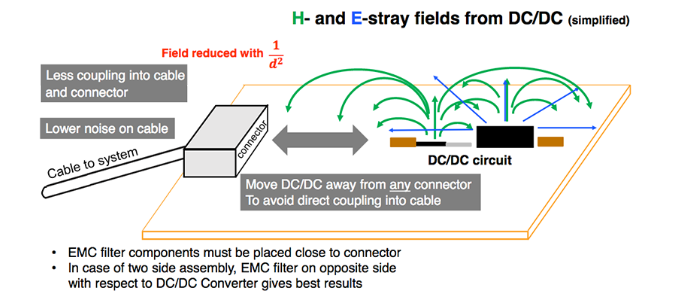
After the impatient engineer draws the schematic and imports the netlist into the PCB, he can’t wait to put the device in place and start pulling wires. In fact, a good PCB layout can make your subsequent wiring work easier and make your PCB work better. Each board will have a signal path, and the PCB layout should also try to follow this signal path so that the signal can be transmitted smoothly on the board. People don’t like to walk through a maze, and the same is true for signals. If the schematic is designed according to the module, the PCB can be the same. The board can be divided into several areas according to different functional modules. Separate analog and digital, separate power signals, separate heating devices and sensitive devices, do not put large devices too close to the edge of the board, pay attention to the shielding of RF signals, etc. Spend a little more time to optimize the PCB layout, and you can save more time when pulling wires.
5.Consider others more
When designing PCBs, try to consider the needs of end users. For example, if you are designing a development board, you should consider placing more silkscreen information when designing the PCB, so that it will be more convenient when using it, without having to look up the schematic or find designers for support. If you are designing a mass-produced product, you need to consider more of the problems that will be encountered on the production line, such as the same direction of devices of the same type, whether the device spacing is appropriate, the width of the process edge of the board, etc. The earlier these issues are considered, the less they will affect the subsequent design, and the workload of the subsequent support and the number of board changes can also be reduced. It seems that the time spent on the initial design has increased, but in fact it has reduced your subsequent workload. When the board space signal allows, try to place more test points to improve the testability of the board, so that more time can be saved in the subsequent debugging stage, and more ideas can be provided for finding problems.
6.Repeated communication and confirmation with customers
As an excellent PCB layout engineer, you must learn to communicate effectively with customers. It is best to communicate and confirm some important issues in the layout with customers repeatedly, such as the confirmation of the package. Especially the positions of positive and negative poles, transistors, and structural connectors, which will directly affect the installation and positioning of the later boards.
7.Details determine success or failure
PCB design is a meticulous job, which requires carefulness and patience. The mistakes that novices who are just starting to design often make are some details. The device pins are wrong, the device package is used incorrectly, the pin order is drawn in reverse, etc. Some of these can be solved by flying wires, while some may turn a board into waste. Check it again when drawing the package, print out the package and compare it with the actual device before submitting the board. It is not obsessive-compulsive disorder to check it again, but to avoid these low-level mistakes that are easy to make. Otherwise, no matter how beautiful the design of the board is, it is far from being excellent if it is covered with flying wires.