
The Ultimate Guide to PCB Board Kits: From Beginners to Advanced Makers
Introduction
Printed Circuit Board (PCB) kits have revolutionized electronics prototyping and education, making it easier than ever for hobbyists, students, and professionals to design and assemble custom circuits. Whether you’re a beginner learning the basics or an experienced engineer working on a complex project, a PCB board kit provides all the essential components and tools needed to bring your ideas to life.
In this comprehensive guide, we’ll explore:
- What a PCB board kit includes
- Different types of PCB kits available
- How to choose the right kit for your needs
- Step-by-step assembly instructions
- Common applications and project ideas
- Troubleshooting tips
By the end, you’ll have a clear understanding of how to leverage PCB kits for your electronics projects.
What Is a PCB Board Kit?
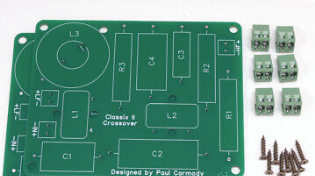
A PCB board kit is a package that contains all the necessary components to build a functional circuit. These kits typically include:
- Blank or Pre-designed PCB – Either an empty board for custom designs or a pre-etched board with a specific circuit layout.
- Electronic Components – Resistors, capacitors, ICs, LEDs, connectors, and other parts.
- Tools & Accessories – Soldering iron, solder wire, wire cutters, and sometimes a multimeter.
- Instruction Manual – Step-by-step assembly guide, schematics, and troubleshooting tips.
Some kits are designed for educational purposes (e.g., Arduino-based learning kits), while others are meant for prototyping custom circuits.

Types of PCB Board Kits
1. Beginner-Friendly Kits
These kits are ideal for students and hobbyists new to electronics. Examples include:
- Breadboard Kits – Allows prototyping without soldering.
- LED Blinker or Timer Kits – Simple circuits to teach basic concepts.
- Arduino Starter Kits – Combines PCBs with programmable microcontrollers.
2. Intermediate Kits
For those with some experience, these kits introduce more complex circuits:
- Audio Amplifier Kits – Build a small speaker system.
- Radio Receiver Kits – Learn about RF circuits.
- Sensor-Based Kits (e.g., temperature, motion detectors).
3. Advanced & Custom PCB Kits
Designed for engineers and advanced makers:
- Raspberry Pi HATs – Expansion boards for Pi projects.
- Motor Control Kits – For robotics applications.
- DIY Oscilloscope Kits – For electronics testing.
4. Bare PCB Kits
These include just the blank PCB, requiring users to source their own components—ideal for custom designs.
How to Choose the Right PCB Board Kit
Selecting the best PCB kit depends on:
1. Skill Level
- Beginners should start with pre-assembled or breadboard-friendly kits.
- Intermediate users can try soldering-based kits with moderate complexity.
- Advanced makers may prefer custom PCB fabrication kits.
2. Project Requirements
- Need a wearable device? Look for flexible PCB kits.
- Building a robot? Motor driver or sensor kits are ideal.
- Learning programming? Arduino/Raspberry Pi-compatible kits work best.
3. Budget
- Basic kits: $10–$50
- Advanced kits: $50–$200+
- Custom PCB orders: Varies based on design complexity
4. Documentation & Support
A good kit should include:
- Clear schematics
- Step-by-step assembly instructions
- Access to online forums or customer support
Step-by-Step PCB Kit Assembly Guide
Step 1: Unbox & Organize Components
- Check the kit contents against the manual.
- Sort resistors, capacitors, ICs, and other parts for easy access.
Step 2: Study the Schematic
- Understand the circuit layout before soldering.
Step 3: Soldering Components
- Start with the smallest parts (resistors, diodes).
- Move to larger components (capacitors, IC sockets).
- Double-check polarity for LEDs, electrolytic capacitors, and ICs.
Step 4: Testing the Circuit
- Use a multimeter to check for short circuits.
- Power up the board and verify functionality.
Step 5: Troubleshooting
- No power? Check soldering joints and battery connections.
- Components overheating? Verify correct placement.
- Signal issues? Inspect traces for breaks.
Popular Applications of PCB Kits
1. Education & STEM Learning
- Schools use PCB kits to teach electronics fundamentals.
2. Prototyping & Product Development
- Engineers test circuits before mass production.
3. DIY Electronics Projects
- Home automation, drones, and IoT devices.
4. Repair & Modifications
- Fixing or upgrading existing electronics.
Troubleshooting Common PCB Kit Issues
| Problem | Possible Cause | Solution |
|---|---|---|
| Circuit not working | Loose solder joint | Reflow solder connections |
| Smoke/Overheating | Short circuit | Check for accidental bridges |
| Intermittent signals | Poor trace connection | Inspect PCB for cracks |
| Wrong output voltage | Incorrect component value | Verify resistor/capacitor ratings |
Conclusion
PCB board kits are an excellent way to dive into electronics, whether for learning, prototyping, or professional projects. By selecting the right kit, following proper assembly techniques, and applying troubleshooting skills, you can successfully build and innovate with custom circuits.