Fixing a Printed Circuit Board (PCB): A Comprehensive Guide
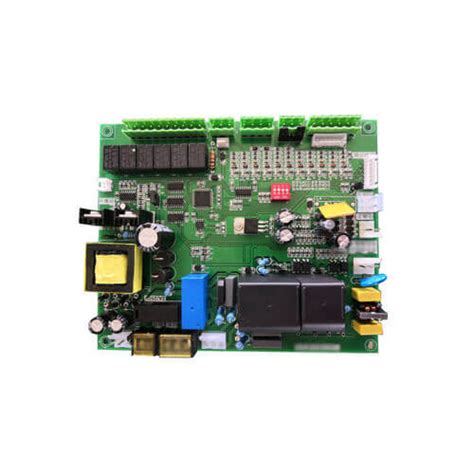
Printed Circuit Boards (PCBs) are the backbone of modern electronics. They are found in almost every electronic device, from smartphones and computers to industrial machinery and medical equipment. PCBs are designed to be reliable, but like any other component, they can fail due to various reasons such as physical damage, electrical overload, environmental factors, or manufacturing defects. When a PCB fails, it can lead to the malfunction of the entire device. Therefore, knowing how to diagnose and fix a PCB is a valuable skill for engineers, technicians, and hobbyists alike.
This article will provide a comprehensive guide on how to fix a PCB, covering the tools and techniques required, common issues, and step-by-step instructions for troubleshooting and repair.
1. Tools and Equipment Needed for PCB Repair
Before attempting to fix a PCB, it is essential to have the right tools and equipment. Here is a list of the most commonly used tools for PCB repair:
- Multimeter: Used to measure voltage, current, and resistance. It is essential for diagnosing electrical issues.
- Soldering Iron: A temperature-controlled soldering iron is necessary for removing and replacing components.
- Solder and Flux: High-quality solder and flux are required for making reliable connections.
- Desoldering Pump or Solder Wick: Used to remove excess solder from the board.
- Magnifying Glass or Microscope: Helps in inspecting small components and traces.
- Tweezers: Useful for handling small components.
- PCB Holder: Keeps the board steady during repair.
- Isopropyl Alcohol and Brush: For cleaning the PCB after repair.
- Oscilloscope: Useful for diagnosing signal-related issues (optional but recommended for advanced repairs).
- Power Supply: To test the PCB after repair.
2. Common PCB Issues and Their Causes
PCBs can fail for a variety of reasons. Understanding the common issues and their causes is the first step in diagnosing and fixing a PCB. Some of the most common issues include:
2.1. Physical Damage
Physical damage is one of the most obvious causes of PCB failure. This can include cracked boards, broken traces, or damaged components. Physical damage often occurs due to mishandling, drops, or excessive force during assembly.
2.2. Electrical Overload
Electrical overload can cause components to burn out or traces to melt. This usually happens when the PCB is exposed to voltages or currents beyond its design limits.
2.3. Short Circuits
Short circuits occur when two or more conductive paths that are not supposed to be connected come into contact. This can be caused by solder bridges, damaged insulation, or foreign objects on the board.
2.4. Open Circuits
Open circuits occur when a trace or connection is broken, preventing current from flowing. This can be caused by physical damage, corrosion, or poor soldering.
2.5. Component Failure
Individual components such as resistors, capacitors, or integrated circuits (ICs) can fail due to age, overheating, or manufacturing defects.
2.6. Environmental Factors
Exposure to moisture, dust, or extreme temperatures can cause corrosion, oxidation, or other damage to the PCB.
2.7. Manufacturing Defects
Sometimes, PCBs fail due to defects introduced during the manufacturing process, such as poor soldering, incorrect component placement, or faulty materials.
3. Step-by-Step Guide to Fixing a PCB
Fixing a PCB involves a systematic approach to diagnosing and repairing the issue. Below is a step-by-step guide to help you through the process.
Step 1: Visual Inspection
The first step in fixing a PCB is to perform a thorough visual inspection. Look for obvious signs of damage such as burnt components, cracked traces, or solder bridges. Use a magnifying glass or microscope to inspect small components and traces.
Step 2: Clean the PCB
If the PCB is dirty or contaminated, clean it using isopropyl alcohol and a soft brush. This will help you get a clearer view of the board and remove any conductive debris that could cause short circuits.
Step 3: Check for Power Issues
Use a multimeter to check the power supply to the PCB. Ensure that the correct voltage is being supplied to the board. If the power supply is faulty, the issue may not be with the PCB itself.
Step 4: Test Individual Components
Test the individual components on the PCB using a multimeter or an LCR meter. Check for components that are out of specification or have failed completely. Pay special attention to capacitors, resistors, and diodes, as these are common failure points.
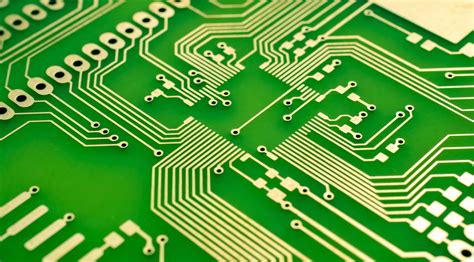
Step 5: Inspect the Traces
Use a multimeter in continuity mode to check the traces on the PCB. Look for open circuits or short circuits. If you find a broken trace, you can repair it using a jumper wire or conductive ink.
Step 6: Replace Faulty Components
If you identify a faulty component, desolder it from the board using a desoldering pump or solder wick. Replace it with a new component of the same specifications. Be careful not to overheat the board during the soldering process.
Step 7: Repair Damaged Traces
If you find a damaged trace, you can repair it by soldering a thin wire (known as a jumper wire) between the two points where the trace is broken. Alternatively, you can use conductive ink to bridge the gap.
Step 8: Reflow Solder Joints
If you suspect poor solder joints, you can reflow the solder using a soldering iron. Apply flux to the joint and heat it until the solder melts and forms a smooth connection.
Step 9: Test the PCB
After making the necessary repairs, test the PCB to ensure that it is functioning correctly. Use a power supply to power the board and check for proper operation. If possible, use an oscilloscope to verify that all signals are within the expected range.
Step 10: Apply a Protective Coating
Once the PCB is repaired and tested, consider applying a protective coating to prevent future damage from moisture or dust. Conformal coating is a common choice for this purpose.
4. Advanced PCB Repair Techniques
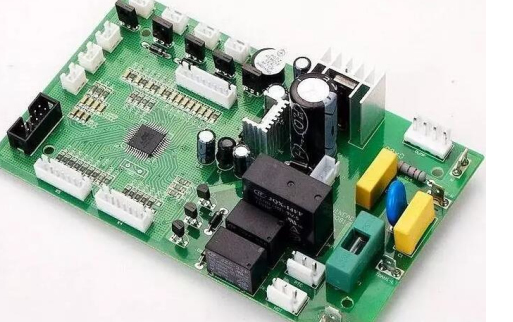
For more complex PCB issues, advanced repair techniques may be required. These include:
4.1. Microsoldering
Microsoldering is used to repair very small components or traces, such as those found in smartphones or other compact devices. It requires specialized tools and a steady hand.
4.2. Trace Repair
In cases where multiple traces are damaged, a more extensive trace repair may be necessary. This can involve using a fiberglass pen to expose the copper traces and then soldering jumper wires to reconnect them.
4.3. BGA Rework
Ball Grid Array (BGA) components are challenging to repair due to their small size and the fact that the solder joints are hidden underneath the component. BGA rework requires specialized equipment, such as a rework station, to remove and replace the component.
4.4. PCB Layer Repair
In multi-layer PCBs, damage to inner layers can be difficult to repair. In some cases, it may be necessary to drill through the board to access the damaged layer and then repair it using jumper wires.
5. Preventing PCB Failures
While knowing how to fix a PCB is important, preventing failures in the first place is even better. Here are some tips for preventing PCB failures:
- Proper Handling: Always handle PCBs with care to avoid physical damage.
- Environmental Protection: Use conformal coating or enclosures to protect PCBs from moisture, dust, and extreme temperatures.
- Quality Components: Use high-quality components that are rated for the intended application.
- Proper Soldering: Ensure that all solder joints are clean and properly formed to avoid cold joints or solder bridges.
- Regular Maintenance: Periodically inspect and clean PCBs to prevent issues caused by contamination or corrosion.
6. Conclusion
Fixing a PCB can be a challenging but rewarding task. With the right tools, knowledge, and techniques, most PCB issues can be diagnosed and repaired. Whether you are a professional technician or a hobbyist, understanding how to fix a PCB is a valuable skill that can save time and money. By following the steps outlined in this guide, you can confidently tackle most PCB repair projects and extend the life of your electronic devices.
Remember, practice makes perfect. The more you work with PCBs, the more comfortable you will become with diagnosing and repairing them. Happy repairing!