
How to Identify Circuit Board Components
Printed Circuit Boards (PCBs) are the backbone of modern electronics, found in everything from smartphones to industrial machinery. Understanding how to identify components on a PCB is a fundamental skill for anyone involved in electronics, whether you’re a hobbyist, engineer, or technician. This guide will walk you through the process of identifying common circuit board components, their functions, and the tools and techniques used to recognize them.
1. Introduction to PCB Components
A PCB is a flat board made of insulating material, such as fiberglass, with conductive pathways etched or printed onto its surface. These pathways connect various electronic components, which are soldered onto the board. Components can be broadly categorized into two types:
- Active Components: These require a power source to function and can control the flow of electricity. Examples include transistors, integrated circuits (ICs), and diodes.
- Passive Components: These do not require a power source and primarily store, filter, or dissipate energy. Examples include resistors, capacitors, and inductors.
Identifying these components involves recognizing their physical appearance, markings, and placement on the board.
2. Tools for Identifying PCB Components
Before diving into component identification, it’s essential to have the right tools:
- Magnifying Glass or Microscope: Many components are small, and their markings may be difficult to read with the naked eye.
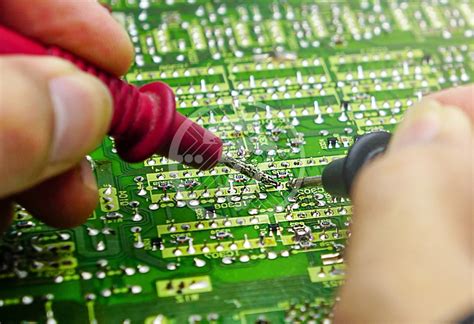
- Multimeter: Used to measure resistance, capacitance, voltage, and continuity, which can help verify the type and functionality of a component.
- Component Tester: A handheld device that can automatically identify and test components like resistors, capacitors, and transistors.
- Datasheets: Manufacturer-provided documents that detail the specifications, pin configurations, and markings of components.
- Reference Guides: Books or online resources that provide images and descriptions of common components.

3. Common PCB Components and How to Identify Them
3.1 Resistors
Function: Resistors limit the flow of electrical current in a circuit.
Identification:
- Resistors are typically small, cylindrical components with two leads.
- They are color-coded with bands that indicate their resistance value and tolerance. For example, a resistor with the colors brown, black, red, and gold represents 1,000 ohms (1kΩ) with a 5% tolerance.
- Surface-mount resistors (SMDs) are rectangular and have numeric codes. For instance, “103” means 10,000 ohms (10kΩ).
Testing: Use a multimeter in resistance mode to verify the value.
3.2 Capacitors
Function: Capacitors store and release electrical energy, often used for filtering or smoothing voltage.
Identification:
- Electrolytic capacitors are cylindrical with polarity markings (positive and negative leads).
- Ceramic capacitors are small, disc-shaped, and non-polarized.
- SMD capacitors are rectangular and lack markings, making them harder to identify without a datasheet or tester.
Testing: Use a multimeter in capacitance mode to measure the value.
3.3 Inductors
Function: Inductors store energy in a magnetic field and resist changes in current.
Identification:
- Inductors are often coil-shaped, with wire wrapped around a core.
- SMD inductors are small and rectangular, sometimes resembling resistors.
Testing: Use an inductance meter or multimeter with inductance capability.
3.4 Diodes
Function: Diodes allow current to flow in one direction only.
Identification:
- Diodes are small, cylindrical components with a band on one end indicating the cathode (negative side).
- Light-Emitting Diodes (LEDs) are a type of diode that emit light when current flows through them.
Testing: Use a multimeter in diode mode to check for forward and reverse bias.
3.5 Transistors
Function: Transistors amplify or switch electronic signals.
Identification:
- Transistors have three leads: base, collector, and emitter.
- They come in various packages, such as TO-92 (small plastic casing) or SMD packages.
- Markings on the casing indicate the transistor type (e.g., “2N3904”).
Testing: Use a multimeter or component tester to identify the pins and verify functionality.
3.6 Integrated Circuits (ICs)
Function: ICs are complex components that perform specific functions, such as amplification, signal processing, or data storage.
Identification:
- ICs are rectangular with multiple pins (e.g., 8, 16, or more).
- They have a part number printed on the top (e.g., “LM555” or “ATmega328”).
- The orientation is often marked with a dot or notch on one end.
Testing: Refer to the datasheet for pin configurations and functionality.
3.7 Connectors and Headers
Function: Connectors provide interfaces for connecting external devices or cables.
Identification:
- Connectors are often rectangular with multiple pins or sockets.
- Examples include USB ports, HDMI connectors, and pin headers.
Testing: Check for continuity between pins using a multimeter.
3.8 Switches and Relays
Function: Switches control the flow of current, while relays are electrically operated switches.
Identification:
- Switches have a mechanical actuator (e.g., toggle, push-button).
- Relays are larger, with multiple pins and a coil inside.
Testing: Use a multimeter to check for continuity and operation.
4. Reading Component Markings
Many components have markings that indicate their type, value, and manufacturer. Here’s how to interpret them:
- Resistors: Use the color code or numeric code for SMD resistors.
- Capacitors: Look for voltage and capacitance ratings (e.g., “10µF 25V”).
- Diodes and Transistors: Part numbers (e.g., “1N4148” or “2N2222”) can be cross-referenced with datasheets.
- ICs: The part number (e.g., “NE555”) provides detailed information about the component’s function.
5. Using Schematics and Layouts
If you have access to the PCB schematic or layout, identifying components becomes much easier. Schematics show the electrical connections and component symbols, while layouts indicate their physical placement on the board. Cross-referencing the schematic with the actual board can help you locate and identify components.
6. Practical Tips for Component Identification
- Start with the Obvious: Look for large or uniquely shaped components first, such as connectors or heatsinks.
- Group Similar Components: Resistors, capacitors, and diodes often appear in groups with similar sizes and shapes.
- Check for Labels: Some PCBs have labels (e.g., “R1” for resistors, “C1” for capacitors) that correspond to the schematic.
- Use Online Resources: Websites like Digi-Key, Mouser, and Octopart can help you search for components based on their markings.
7. Challenges in Component Identification
- Miniaturization: SMD components are tiny and often lack clear markings, making identification difficult.
- Damaged Components: Burned or corroded components may have illegible markings.
- Proprietary Parts: Some components are custom-made and lack publicly available datasheets.
In such cases, reverse engineering the circuit or consulting with experienced professionals may be necessary.
8. Conclusion
Identifying circuit board components is a skill that combines observation, knowledge, and the use of tools. By familiarizing yourself with common components, their markings, and testing methods, you can confidently navigate and troubleshoot PCBs. Whether you’re repairing a device, building a project, or learning about electronics, this skill is invaluable. With practice and the right resources, you’ll be able to identify even the most obscure components with ease.
This guide provides a comprehensive overview of PCB component identification. By following these steps and using the recommended tools, you’ll be well-equipped to tackle any circuit board with confidence.