
Common errors and solutions in PCB design
1.Common errors in schematics:
(1) ERC reports that the pin has no signal:
a. The I/O attributes of the pin were defined when creating the package;
b. The inconsistent grid attributes were modified when creating or placing components, and the pins and wires were not connected;
c. The pin direction was reversed when creating the component, and the non-pin name end must be connected.
(2) The component ran out of the drawing:
the component was not created in the center of the component library diagram.
(3) The created project file network list can only be partially loaded into PCB:
global was not selected when generating the netlist.
(4) When using a multi-part component you created yourself, never use annotate.
2.Common errors in PCB:
(1) Report that NODE is not found when loading the network:
a. The component in the schematic uses a package that is not in the PCB library;
b. The component in the schematic uses a package with a different name from the PCB library;
c. The component in the schematic uses a package with a different pin number from the PCB library. For example, for a transistor: the pin numbers in sch are e, b, c, while in PCB they are 1, 2, 3.
(2) When printing, it is always impossible to print on one page:
a. The PCB library was not created at the origin;
b. The component was moved and rotated multiple times, and there are hidden characters outside the PCB board boundary. Select Show all hidden characters, shrink the PCB, and then move the characters within the boundary.
(3) The DRC report network is divided into several parts:
This means that the network is not connected. Look at the report file and use the CONNECTED COPPER option to search.
In addition, I would like to remind my friends to use WIN2000 as much as possible to reduce the chance of blue screen; export files several times and make new DDB files to reduce the file size and the chance of protel freezing. If you are doing a more complex design, try not to use automatic routing.
In PCB design, routing is an important step in completing product design. It can be said that the previous preparations are all done for it. In the entire PCB, the design process of routing is the highest, the most sophisticated, and the most labor-intensive. PCB routing includes single-sided routing, double-sided routing, and multi-layer routing. There are also two ways of routing: automatic routing and interactive routing. Before automatic routing, you can use interactive routing to pre-route the lines with stricter requirements. The edge lines of the input and output ends should avoid adjacent parallel to avoid reflection interference. If necessary, ground isolation should be added, and the wiring of two adjacent layers should be perpendicular to each other. Parallel routing is prone to parasitic coupling.
The routing rate of automatic routing depends on a good layout. The routing rules can be set in advance, including the number of bends in the routing, the number of vias, the number of steps, etc. Generally, exploratory warp wiring is first performed to quickly connect short lines, and then maze wiring is performed. First, the wiring path of the connection to be laid is optimized globally. It can disconnect the already laid lines as needed. And try to re-wire to improve the overall effect.
The through hole is not suitable for the current high-density PCB design. It wastes a lot of valuable wiring channels. To solve this contradiction, blind hole and buried hole technology have emerged. It not only completes the role of the through hole, but also saves a lot of wiring channels to make the wiring process more convenient, smoother and more perfect. The design process of the PCB board is a complex and simple process. To master it well, it is necessary for the majority of electronic engineering designers to experience it by themselves to get the true meaning.
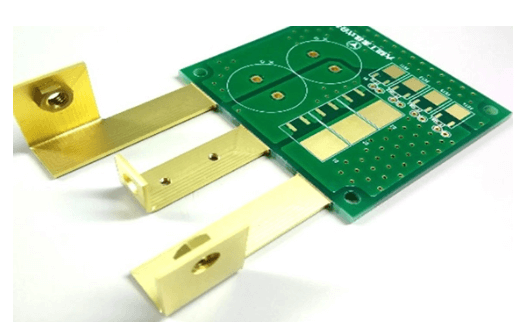
3.Processing of power and ground wires
Even if the wiring in the entire PCB board is completed well, the interference caused by the inconsiderate consideration of the power and ground wires will reduce the performance of the product, and sometimes even affect the success rate of the product. Therefore, the wiring of the power and ground wires should be taken seriously, and the noise interference generated by the power and ground wires should be minimized to ensure the quality of the product.
Every engineer engaged in electronic product design understands the cause of noise between the ground wire and the power line. Now we will only describe the noise reduction method:
It is well known that decoupling capacitors are added between the power supply and the ground wire. 7 X2 B3 K) Y/ ? ” e( A1 F/ t# Y4 x, n
Try to widen the width of the power supply and ground wire. It is best that the ground wire is wider than the power line. Their relationship is: ground wire>power line>signal line. Usually the signal line width is: 0.2~0.3mm, the thinnest width can reach 0.05~0.07mm, and the power line is 1.2~2.5 mm
For the PCB of digital circuits, a wide ground wire can be used to form a loop. That is, to form a ground network for use (the ground of analog circuits cannot be used in this way)
Use a large area of copper layer as a ground wire, and connect all unused areas on the printed circuit board to the ground as a ground wire. Or make a multi-layer board, with the power supply and ground wire each occupying one layer.
4.Common ground processing of digital circuits and analog circuits
Nowadays, many PCBs are no longer single-function circuits (digital or analog circuits), but are composed of a mixture of digital circuits and analog circuits. Therefore, when wiring, it is necessary to consider the mutual interference between them, especially the noise interference on the ground wire.
The frequency of digital circuits is high, and the sensitivity of analog circuits is strong. For signal lines, high-frequency signal lines should be as far away from sensitive analog circuit devices as possible. For ground wires, the entire PCB has only one node to the outside world, so the problem of digital and analog common ground must be processed inside the PCB. In fact, the digital ground and analog ground are separated inside the board. They are not connected to each other, but only at the interface where the PCB is connected to the outside world (such as plugs, etc.). Digital ground and analog ground There is a short circuit. Please note that there is only one connection point. There are also some that do not share the same ground on the PCB, which is determined by the system design.
5.Signal lines are laid on the electrical (ground) layer
When wiring a multi-layer printed circuit board, since there are not many lines left in the signal line layer, adding more layers will cause waste and increase the workload of production, and the cost will increase accordingly. To solve this contradiction, you can consider wiring on the electrical (ground) layer. First, you should consider using the power layer, and then the ground layer. Because it is best to preserve the integrity of the ground layer.
6.Treatment of connecting legs in large-area conductors
In large-area grounding (electricity), the legs of common components are connected to it. The treatment of connecting legs needs to be comprehensively considered. In terms of electrical performance, it is better for the pads of the component legs to be fully connected to the copper surface, but there are some bad hidden dangers for the welding and assembly of components, such as: ① Welding requires a high-power heater. ② It is easy to cause virtual solder joints. Therefore, taking into account both electrical performance and process requirements, a cross-shaped pad is made, which is called thermal isolation (heat Shield) is commonly known as thermal pad (Thermal), which can greatly reduce the possibility of producing cold solder joints due to excessive heat dissipation of the cross section during welding. The treatment of the power (ground) layer legs of the multilayer board is the same.
7.The role of the network system in wiring
In many CAD systems, wiring is determined by the network system. If the grid is too dense, although the number of pathways has increased, the step is too small, and the amount of data in the drawing field is too large, this will inevitably have higher requirements for the storage space of the equipment, and it will also have a great impact on the computing speed of computer-related electronic products. Some pathways are invalid, such as those occupied by the pads of the component legs or by the mounting holes and fixed holes. If the grid is too sparse, too few pathways will have a great impact on the wiring rate. Therefore, a grid system with reasonable density is required to support the wiring.
The distance between the two legs of the standard component is 0.1 inches (2.54mm), so the basis of the grid system is generally set at 0.1 inches (2.54 mm) or an integer multiple of less than 0.1 inches, such as: 0.05 inches, 0.025 inches, 0.02 inches, etc.
8.Design Rule Check (DRC)
After the wiring design is completed, it is necessary to carefully check whether the wiring design complies with the rules set by the designer, and also to confirm whether the rules set meet the requirements of the printed circuit board production process. The general inspection includes the following aspects:
Whether the distance between lines, lines and component pads, lines and through holes, component pads and through holes, and through holes is reasonable and meets production requirements.
Is the width of the power line and the ground line appropriate? Is the power and ground line tightly coupled (low wave impedance)? Is there any place in the PCB that can widen the ground line?
Have the best measures been taken for key signal lines, such as the shortest length, adding protection lines, and the input and output lines are clearly separated.
For analog circuits and digital circuits, are there Separate ground lines.
Will the graphics added to the PCB later (such as icons, annotations) cause signal short circuits?
Modify some undesirable line shapes.
Are process lines added to the PCB? Does the solder mask meet the requirements of the production process, is the solder mask size appropriate, and is the character logo pressed on the device pad to avoid affecting the quality of the electrical equipment.
Is the outer frame edge of the power ground layer in the multilayer board reduced? If the copper foil of the power ground layer is exposed outside the board, it is easy to cause a short circuit. Overview The purpose of this document is to explain the process and some precautions for using the printed circuit board design software PowerPCB of pads for printed circuit board design, to provide design specifications for designers in a working group, and to facilitate communication and mutual inspection between designers.
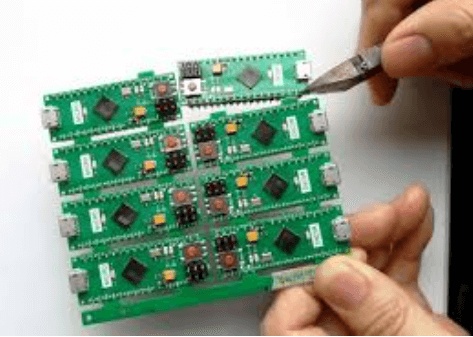
9.Design process
The design process of PCB is divided into six steps: netlist input, rule setting, component layout, wiring, inspection, review, and output.
9.1 Netlist input
There are two ways to input a netlist. One is to use the OLE PowerPCB Connection function of PowerLogic, select Send Netlist, and apply the OLE function to keep the schematic and PCB consistent at any time, minimizing the possibility of errors. Another method is to load the netlist directly in PowerPCB, select File-》Import, and input the netlist generated by the schematic.
9.2 Rule setting
If the design rules of the PCB have been set in the schematic design stage, there is no need to set these rules again, because when the netlist is input, the design rules have been input into PowerPCB with the netlist. If the design rules are modified, the schematic must be synchronized to ensure the consistency between the schematic and the PCB. In addition to design rules and layer definitions, there are some rules that need to be set, such as Pad Stacks, which require modifying the size of standard vias. If the designer creates a new pad or via, be sure to add Layer 25.
Note: PCB design rules, layer definitions, via settings, and CAM output settings have been made into a default startup file named Default.stp. After the netlist is input, the power network and ground are assigned to the power layer and ground layer according to the actual design situation, and other advanced rules are set. After all the rules are set, in PowerLogic, use the Rules From PCB function of OLE PowerPCB Connection to update the rule settings in the schematic diagram to ensure that the rules of the schematic diagram and PCB diagram are consistent.
9.3 Component Layout
After the netlist is input, all components will be placed at the zero point of the workspace and overlap. The next step is to separate these components and arrange them neatly according to some rules, that is, component layout. PowerPCB provides two methods, manual layout and automatic layout.
9.3.1 Manual layout
- Draw the board outline according to the structural dimensions of the tool printed board.
- Disperse components, and the components will be arranged around the board edge.
- Move and rotate the components one by one, place them within the edge of the board, and arrange them neatly according to certain rules.
9.3.2 Automatic layout
PowerPCB provides automatic layout and automatic local cluster layout, but for most designs, the effect is not ideal and is not recommended. 2.3.3 Notes
a. The first principle of layout is to ensure the routing pass rate. When moving devices, pay attention to the connection of flying wires and put devices with connection relationships together
b. Digital devices and analog devices should be separated and kept as far away as possible
c. Decoupling capacitors should be as close to the VCC of the device as possible
d. When placing devices, consider future welding and do not place them too densely
e. Use the Array and Union functions provided by the software more often to improve the efficiency of layout.

9.4 Wiring.
There are also two ways of wiring, manual wiring and automatic wiring. The manual wiring function provided by PowerPCB is very powerful, including automatic pushing and online design rule checking (DRC). Automatic wiring is performed by Specctra’s wiring engine. Usually these two methods are used in combination. The commonly used steps are manual-automatic-manual.
9.4.1 Manual routing
- Before automatic routing, manually route some important networks, such as high-frequency clocks, main power supplies, etc. These networks often have special requirements for routing distance, line width, line spacing, shielding, etc.; some special packages, such as BGA, are difficult to route regularly with automatic routing, and manual routing is also required.
- After automatic routing, manual routing is also required to adjust the routing of the PCB.
9.4.2 Automatic routing
After manual routing is completed, the remaining networks are handed over to the automatic routing device for self-routing. Select Tools-》SPECCTRA, start the interface of the Specctra router, set up the DO file, and press Continue to start the automatic routing of the Specctra router. After the completion, if the routing rate is 100%, then you can manually adjust the routing; if it is less than 100%, it means that there is a problem with the layout or manual routing, and you need to adjust the layout or manual routing until all routing is completed.
9.4.3 Notes
a. Make the power line and ground line as thick as possible
b. Decoupling capacitors should be directly connected to VCC as much as possible
c. When setting up the DO file of Specctra, first add the Protect all wires command to protect the manually routed wires from being rerouted by the automatic router
d. If there is a mixed power layer, the layer should be defined as Split/mixed Plane, split before routing, and after routing, use Plane Connect of Pour Manager to cover copper
e. Set all device pins to thermal pad mode. The method is to set Filter to Pins, select all pins, modify the properties, and check the Thermal option
f. Turn on the DRC option when manually routing and use dynamic routing (Dynamic Route)
9.5 Check
The items to be checked are clearance, connectivity, high speedRules (High Speed) and power plane (Plane), these items can be selected Tools-》Verify Design. If the high-speed rule is set, it must be checked, otherwise this item can be skipped. If errors are found, the layout and routing must be modified.
Note: Some errors can be ignored, for example, part of the outline of some connectors is placed outside the board frame, which will cause errors when checking the spacing; in addition, after each modification of the routing and vias, the copper must be re-coated.
9.6 Review
The review is based on the “PCB Checklist”, which includes design rules, layer definition, line width, spacing, pads, and via settings; it is also necessary to focus on reviewing the rationality of the device layout, the routing of the power and ground network, the routing and shielding of the high-speed clock network, and the placement and connection of the decoupling capacitors. If the review fails, the designer must modify the layout and routing. After passing, the reviewer and the designer sign respectively.
9.7 Design Output
PCB design can be output to a printer or output as a photolithography file. The printer can print the PCB in layers, which is convenient for designers and reviewers to check; the photolithography file is handed over to the board manufacturer to produce the printed board. The output of the photolithography file is very important and is related to the success or failure of this design. The following will focus on the precautions for outputting the photolithography file.
a. The layers that need to be output include the wiring layer (including the top layer, bottom layer, and middle wiring layer), the power layer (including the VCC layer and the GND layer), the silk screen layer (including the top silk screen and the bottom silk screen), the solder mask layer (including the top solder mask and the bottom solder mask), and the drilling file (NC Drill) needs to be generated.
b. If the power layer is set to Split/Mixed, select Routing in the Document item of the Add Document window, and use the Plane Connect of Pour Manager to copper-coat the PCB diagram before each output of the photolithography file; if it is set to CAM Plane, select Plane, and when setting the Layer item, add Layer25, and select Pads and Viasc in Layer25. In the device setting window (press Device Setup), change the Aperture value to 199
d. When setting the Layer of each layer, select Board Outline
e. When setting the Layer of the silk screen layer, do not select Part Type, and select Outline, Text, and Line9 of the top (bottom) and silk screen layers
f. When setting the layer of solder mask, selecting via means no solder mask is added to the via, and not selecting via means no solder mask, depending on the specific situation
g. When generating drilling files, use the default settings of PowerPCB and do not make any changes
h. After all photolithography files are output, open and print them with CAM350, and the designer and reviewer will check them according to the “PCB Checklist”
Via is one of the important components of multi-layer PCBs, and the cost of drilling usually accounts for 30% to 40% of the cost of PCB board making. Simply put, every hole on the PCB can be called a via. From the perspective of function, vias can be divided into two categories: one is used as electrical connection between layers; the other is used for fixing or positioning devices. In terms of process, these vias are generally divided into three categories, namely blind vias, buried vias, and through vias. Blind vias are located on the top and bottom surfaces of printed circuit boards, have a certain depth, and are used to connect the surface circuits and the inner circuits below. The depth of the hole usually does not exceed a certain ratio (aperture). Buried vias refer to connection holes located in the inner layer of a printed circuit board, which do not extend to the surface of the circuit board. The above two types of holes are located in the inner layer of the circuit board, and are completed by the through-hole forming process before lamination. During the process of forming the through-hole, several inner layers may be overlapped. The third type is called a through-hole, which passes through the entire circuit board and can be used to achieve internal interconnection or as a component installation positioning hole. Since through-holes are easier to implement in terms of process and have lower costs, most printed circuit boards use them instead of the other two types of vias. The vias mentioned below are considered as through-holes unless otherwise specified.
From a design perspective, a via is mainly composed of two parts, one is the drill hole in the middle, and the other is the pad area around the drill hole, as shown in the figure below. The size of these two parts determines the size of the via. Obviously, in high-speed, high-density PCB design, designers always hope that the vias are as small as possible, so that more wiring space can be left on the board. In addition, the smaller the via, the smaller its own parasitic capacitance is, and it is more suitable for high-speed circuits. However, the reduction of hole size also brings about an increase in cost, and the size of the via cannot be reduced indefinitely, it is limited by process technologies such as drilling and plating: the smaller the hole, the longer it takes to drill, and the easier it is to deviate from the center position; and when the hole depth exceeds 6 times the drill diameter, it is impossible to ensure that the hole wall can be evenly plated with copper. For example, the thickness (through hole depth) of a normal 6-layer PCB board is about 50 mil, so the minimum drilling diameter that PCB manufacturers can provide can only reach 8 mil.