Allegro high speed pcb design
1. Constraint-driven design:
Allegro allows designers to define constraints for their PCB design,
such as trace widths, spacing, and impedance, to ensure that the design meets the required specifications.
2. Differential pair routing:
Allegro provides tools for routing differential pairs, which are commonly used in high-speed designs to reduce noise and crosstalk.
3. Signal integrity analysis:
Allegro includes tools for analyzing signal integrity, such as checking for reflections, crosstalk, and timing issues.
4. Power delivery network (PDN) analysis:
Allegro can analyze the PDN of a design to ensure that the power supply is stable and meets the requirements of the components.
5. 3D visualization:
Allegro includes a 3D visualization tool that allows designers to view their PCB design from different angles and perspectives.
Overall, Allegro is a powerful tool for designing high-speed PCBs,
and it is widely used in the electronics industry for designing complex and high-performance electronic systems.
How to design Allegro high-speed PCB
1. Determine the requirements:
Before starting the design, determine the requirements of the PCB,
such as the number of layers, the size of the board, the type of components to be used, and the signal speed requirements.
2. Create a schematic:
Create a schematic diagram of the circuit using a software tool such as Cadence Allegro.
This will help you to visualize the connections between components and plan the layout of the PCB.
3. Plan the layout:
Plan the layout of the PCB by placing the components in the most optimal locations.
Consider the signal flow and the placement of high-speed components such as microprocessors, memory chips, and high-speed connectors.
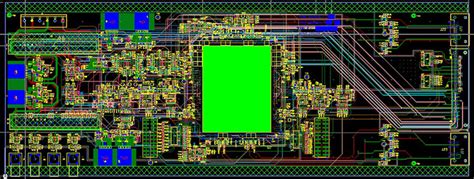
4. Route the PCB:
Use the routing tool in Allegro to route the PCB traces.
Ensure that the traces are as short as possible and avoid crossing over each other.
5. Add power and ground planes:
Add power and ground planes to the PCB to provide a stable power supply and reduce electromagnetic interference.
6. Check for errors:
Use the design rule check (DRC) tool to check for errors such as short circuits, open circuits, and clearance violations.
7. Verify the design:
Use simulation tools to verify the design and ensure that the PCB meets the signal integrity requirements.
8. Generate manufacturing files:
Generate the manufacturing files such as Gerber files, drill files, and assembly files, and send them to the PCB manufacturer.
9. Test the PCB:
After the PCB is manufactured, test it to ensure that it meets the performance requirements.
The Allegro PCB high-speed option is a feature in the Allegro PCB design software that enables designers to create high-speed designs with advanced routing and signal integrity analysis capabilities.
This option includes features such as differential pair routing, length matching, and impedance control,
which are essential for designing high-speed circuits that operate at frequencies above 1 GHz.
The high-speed option also includes advanced signal integrity analysis tools that help designers identify and correct signal integrity issues such as reflections, crosstalk, and timing violations.
With the Allegro PCB high-speed option, designers can create high-performance designs that meet the requirements of modern electronic systems.

allegro pcb high-speed option contents
The Allegro PCB high-speed option includes a range of features and tools designed to support high-speed PCB design.
Some of the key contents of the Allegro PCB high-speed option include:
1. Differential pair routing:
This feature enables designers to route high-speed signals as differential pairs,
which helps to reduce noise and improve signal integrity.
2. Length matching:
This feature ensures that signals in a differential pair are matched in length,
which helps to reduce skew and improve signal quality.
3. Impedance control:
This feature enables designers to control the impedance of high-speed signal traces,
which helps to reduce reflections and maintain signal integrity.
4. Advanced signal integrity analysis:
The high-speed option includes a range of signal integrity analysis tools,
including frequency domain analysis, time domain analysis, and eye diagram analysis.
5. Constraint-driven design:
The high-speed option includes a constraint manager that enables designers to define design rules and constraints for high-speed signals.
6. Power-aware design:
The high-speed option includes tools for analyzing and optimizing power consumption in high-speed designs.
7. Design reuse:
The high-speed option includes features that enable designers to reuse existing design elements,
such as libraries, schematics, and layout templates.
Overall, the Allegro PCB high-speed option provides designers with a comprehensive set of tools for designing high-speed PCBs that meet the requirements of modern electronic systems.