Tri-mode non-flex cut iso hotswap pcb
Advantages Of Tri-Mode Non-Flex Cut ISO Hotswap PCBs
The tri-mode non-flex cut ISO hotswap PCB represents a significant advancement in the realm of printed circuit boards, offering a multitude of advantages that cater to both professional and enthusiast users.
One of the primary benefits of this technology is its versatility.
The tri-mode functionality allows the PCB to support multiple connection modes, including wired, Bluetooth, and 2.4GHz wireless. This flexibility ensures that users can seamlessly switch between different modes based on their specific needs, whether they require the stability of a wired connection or the convenience of wireless options.
In addition to its versatile connectivity, the non-flex cut design of the PCB enhances its durability and reliability.
Traditional flex cuts, while useful for certain applications, can introduce points of weakness in the PCB structure. By eliminating these cuts, the tri-mode non-flex cut ISO hotswap PCB maintains a more robust and stable form factor. This increased structural integrity is particularly beneficial in environments where the PCB may be subjected to physical stress or frequent handling, as it reduces the risk of damage and extends the overall lifespan of the board.
Moreover, the ISO layout of the PCB offers ergonomic advantages that are highly valued by users who spend extended periods typing.
The ISO layout, which is commonly used in European keyboards, features a larger Enter key and a slightly different arrangement of keys compared to the ANSI layout. This design can improve typing comfort and efficiency, making it a preferred choice for many users. The hotswap capability further enhances the user experience by allowing for easy customization and maintenance. With hotswap sockets, users can effortlessly replace or upgrade switches without the need for soldering, enabling quick and convenient modifications to suit individual preferences.
Furthermore, the tri-mode non-flex cut ISO hotswap PCB is designed with compatibility in mind.
It supports a wide range of mechanical switches, providing users with the freedom to choose from various switch types to achieve their desired typing feel and sound. This compatibility extends to keycap sets as well, allowing for extensive personalization options. The ability to customize both the switches and keycaps ensures that users can create a keyboard that not only meets their functional requirements but also reflects their personal style.
Another notable advantage of this PCB is its ease of installation and setup.
The hotswap feature simplifies the process of assembling and disassembling the keyboard, making it accessible even to those with limited technical expertise. Additionally, the tri-mode connectivity options are typically accompanied by user-friendly software that facilitates seamless switching between modes and provides customization options for key mapping and lighting effects. This intuitive software interface enhances the overall user experience, allowing for a tailored and efficient workflow.
In conclusion, the tri-mode non-flex cut ISO hotswap PCB offers a host of advantages that make it a compelling choice for a wide range of users. Its versatile connectivity, durable design, ergonomic layout, and ease of customization and installation collectively contribute to a superior user experience. Whether for professional use or personal enjoyment, this advanced PCB technology provides the flexibility, reliability, and personalization options that modern users demand. As the landscape of keyboard technology continues to evolve, the tri-mode non-flex cut ISO hotswap PCB stands out as a forward-thinking solution that addresses the diverse needs of today’s users.
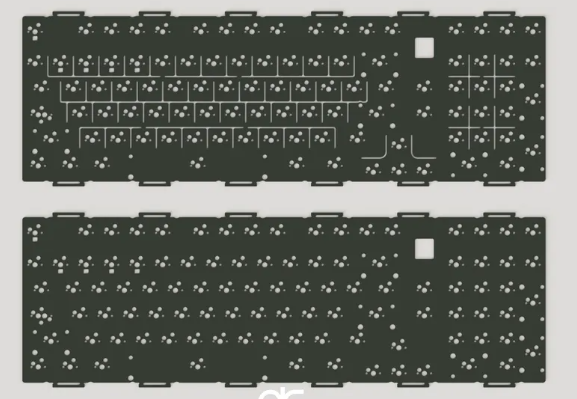
Installation Guide For Tri-Mode Non-Flex Cut ISO Hotswap PCBs
Installing a tri-mode non-flex cut ISO hotswap PCB requires careful attention to detail and a methodical approach to ensure optimal performance and longevity. This guide aims to provide a comprehensive overview of the installation process, from initial preparation to final assembly, ensuring that each step is executed with precision.
To begin with, it is essential to gather all necessary tools and components before starting the installation.
These typically include the tri-mode non-flex cut ISO hotswap PCB, a compatible keyboard case, stabilizers, key switches, keycaps, a screwdriver set, and a keycap puller. Ensuring that all components are readily available will streamline the installation process and minimize interruptions.
The first step in the installation process involves preparing the keyboard case.
Carefully inspect the case to ensure it is free from any debris or manufacturing defects that could impede the installation. Once the case is ready, place the PCB into the case, aligning it with the mounting points. It is crucial to handle the PCB with care, avoiding any unnecessary bending or flexing that could damage the delicate circuitry.
Next, secure the PCB to the case using the appropriate screws.
Tighten the screws evenly to ensure that the PCB is firmly attached without causing any warping or stress. This step is vital for maintaining the structural integrity of the keyboard and ensuring that all components remain securely in place during use.
With the PCB securely mounted, the next step involves installing the stabilizers.
Stabilizers are essential for providing a consistent and stable typing experience, particularly for larger keys such as the spacebar, enter, and shift keys. Begin by inserting the stabilizers into the designated slots on the PCB, ensuring that they are properly seated and aligned. Once in place, secure the stabilizers using the provided clips or screws, depending on the design of your specific stabilizers.
Following the installation of the stabilizers, it is time to install the key switches.
The hotswap feature of the PCB allows for easy installation and replacement of switches without the need for soldering. Begin by aligning each switch with the corresponding socket on the PCB, ensuring that the pins are correctly oriented. Gently press the switch into place until it is fully seated. Repeat this process for all switches, taking care to ensure that each switch is securely installed and properly aligned.
Once all switches are installed, the next step involves attaching the keycaps.
Using a keycap puller, carefully place each keycap onto its corresponding switch, ensuring that it is properly aligned and seated. This step requires patience and precision, as misaligned keycaps can affect the overall typing experience and aesthetics of the keyboard.
After all keycaps are installed, it is important to perform a thorough inspection of the keyboard to ensure that all components are properly installed and functioning as intended. Connect the keyboard to a computer and test each key to verify that it registers correctly. This step is crucial for identifying any potential issues that may need to be addressed before finalizing the installation.
In conclusion, installing a tri-mode non-flex cut ISO hotswap PCB requires careful preparation, attention to detail, and a methodical approach. By following this guide and taking the time to ensure that each step is executed with precision, you can achieve a successful installation that provides a reliable and enjoyable typing experience.
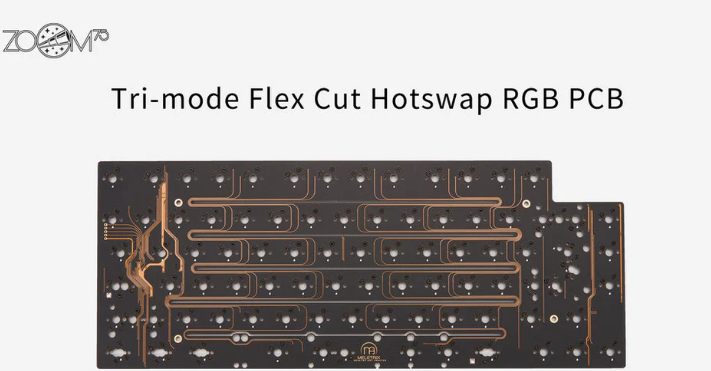
Comparing Tri-Mode Non-Flex Cut ISO Hotswap PCBs To Traditional PCBs
In the realm of mechanical keyboards, the evolution of printed circuit boards (PCBs) has been marked by continuous innovation, aimed at enhancing user experience and customization. One of the latest advancements in this field is the tri-mode non-flex cut ISO hotswap PCB. To fully appreciate the significance of this development, it is essential to compare it to traditional PCBs, examining the differences in functionality, durability, and user convenience.
Traditional PCBs have long been the backbone of mechanical keyboards, providing a stable and reliable platform for key switches and other components.
These PCBs typically require soldering, which, while ensuring a secure connection, limits the ease with which users can modify or repair their keyboards. In contrast, the tri-mode non-flex cut ISO hotswap PCB introduces a new level of flexibility and convenience. The hotswap feature allows users to easily replace switches without the need for soldering, making it an attractive option for enthusiasts who frequently customize their keyboards.
Moreover, the tri-mode capability of these PCBs offers a significant advantage over traditional designs.
Tri-mode refers to the ability of the PCB to support three different connection modes: wired, Bluetooth, and 2.4GHz wireless. This versatility provides users with the freedom to choose the most suitable connection method for their needs, whether they prioritize the stability of a wired connection, the convenience of Bluetooth, or the low latency of a 2.4GHz wireless connection. Traditional PCBs, on the other hand, are typically limited to a single connection mode, which can be a constraint for users seeking a more adaptable solution.
Another critical aspect to consider is the non-flex cut design of these modern PCBs.
Traditional PCBs often incorporate flex cuts, which are small incisions in the PCB intended to enhance flexibility and reduce stress on the board. However, these cuts can sometimes compromise the structural integrity of the PCB, leading to potential issues over time. The non-flex cut design eliminates this concern by maintaining a solid, unbroken surface, thereby enhancing the durability and longevity of the PCB. This design choice ensures that the PCB can withstand the rigors of regular use without succumbing to the wear and tear that might affect traditional flex cut PCBs.
Furthermore, the ISO layout supported by these advanced PCBs caters to a specific segment of the keyboard market.
The ISO (International Organization for Standardization) layout is prevalent in Europe and features a larger Enter key and a different arrangement of certain keys compared to the ANSI (American National Standards Institute) layout commonly used in the United States. By supporting the ISO layout, these PCBs provide a tailored solution for users who prefer or require this specific key arrangement, thereby broadening the appeal and applicability of the product.
In conclusion, the tri-mode non-flex cut ISO hotswap PCB represents a significant leap forward in the design and functionality of mechanical keyboard PCBs. By offering hotswap capabilities, tri-mode connectivity, a robust non-flex cut design, and support for the ISO layout, these PCBs address many of the limitations associated with traditional PCBs. As a result, they provide users with a more versatile, durable, and user-friendly solution, catering to the evolving demands of the mechanical keyboard community. This comparison underscores the importance of innovation in enhancing user experience and highlights the potential for future advancements in this dynamic field.
Troubleshooting Common Issues With Tri-Mode Non-Flex Cut ISO Hotswap PCBs
When dealing with tri-mode non-flex cut ISO hotswap PCBs, users may encounter a variety of issues that can impede the functionality and performance of their keyboards. Understanding these common problems and their solutions is crucial for ensuring a seamless experience.
One prevalent issue is the improper seating of switches.
Given the hotswap nature of these PCBs, it is essential to ensure that each switch is fully and correctly inserted into its socket. A switch that is not properly seated can lead to intermittent connectivity or complete failure of the key. To address this, users should carefully press down on each switch until they hear a distinct click, indicating that the switch is securely in place.
Another frequent problem is related to the PCB’s tri-mode capability, which allows for multiple connection modes such as wired, Bluetooth, and 2.4GHz wireless.
Users may find that their keyboard fails to switch between these modes seamlessly. This issue often stems from outdated firmware or software conflicts. To resolve this, it is advisable to check for and install any available firmware updates from the manufacturer. Additionally, ensuring that the keyboard’s software is compatible with the operating system can prevent mode-switching issues.
Power-related problems can also arise, particularly when using the wireless modes.
If the keyboard is not powering on or is experiencing frequent disconnections, the battery may be the culprit. Users should verify that the battery is fully charged and properly connected. In some cases, replacing the battery may be necessary. Furthermore, interference from other wireless devices can disrupt the keyboard’s connection. To mitigate this, users should try to minimize the number of active wireless devices in close proximity to the keyboard.
Switch chatter, where a single keypress registers multiple times, is another issue that can affect the performance of tri-mode non-flex cut ISO hotswap PCBs.
This problem is often caused by dirty or worn-out switches. Cleaning the switches with compressed air or contact cleaner can help alleviate this issue. If cleaning does not resolve the problem, replacing the affected switches may be required.
In addition to these hardware-related issues, software configuration can also pose challenges.
Users may find that their key mappings or macros are not functioning as expected. This can be due to incorrect software settings or conflicts with other installed programs. To troubleshoot this, users should review their keyboard’s software configuration and ensure that all settings are correctly applied. Reinstalling the software or performing a factory reset on the keyboard can also help resolve configuration issues.
Lastly, physical damage to the PCB itself can lead to a range of problems, from non-functional keys to complete keyboard failure.
Inspecting the PCB for visible signs of damage, such as cracks or burnt components, is a critical step in diagnosing these issues. If damage is detected, professional repair or replacement of the PCB may be necessary.
In conclusion, while tri-mode non-flex cut ISO hotswap PCBs offer a versatile and convenient solution for keyboard enthusiasts, they are not without their potential issues. By understanding and addressing common problems such as improper switch seating, firmware and software conflicts, power-related issues, switch chatter, and physical damage, users can ensure that their keyboards operate smoothly and efficiently. Regular maintenance and staying informed about the latest updates from the manufacturer can further enhance the user experience and longevity of these advanced PCBs.