
Optimizing Assembly Drawings for PCB Design and Production
Key Takeaways
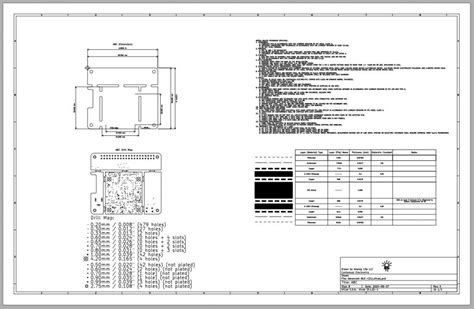
Optimizing assembly drawings is crucial for the successful production of PCB (Printed Circuit Board) assemblies, commonly referred to as PCBA. By focusing on clarity and accuracy in these drawings, manufacturers can significantly enhance the quality of their documentation, which in turn streamlines the entire manufacturing process. It is important to ensure that each component is clearly labeled and that all connections are accurately depicted to minimize errors during assembly. Utilizing high-quality software tools can help enhance the precision of pcb assembly drawings, allowing for better visualization and communication among teams.
“It is essential to invest in good documentation practices, as they play a fundamental role in reducing ambiguity,” suggests industry expert and veteran engineer Sarah Choi. Furthermore, implementing standardized symbols and annotations can significantly improve the readability of drawings, allowing assembly teams to quickly understand instructions without ambiguity. By addressing common errors early on—from misinterpretations of symbols to overlooked component placements—manufacturers can avoid costly mistakes during production.
In conclusion, ensuring that your pcb assembly drawings are optimized not only contributes to efficiency but also fosters a culture of quality within PCBA processes. As such, investing time and resources into developing comprehensive and clear assembly documentation should be a priority for any organization aiming for excellence in their manufacturing endeavors.
Understanding the Importance of Assembly Drawings in PCB Production
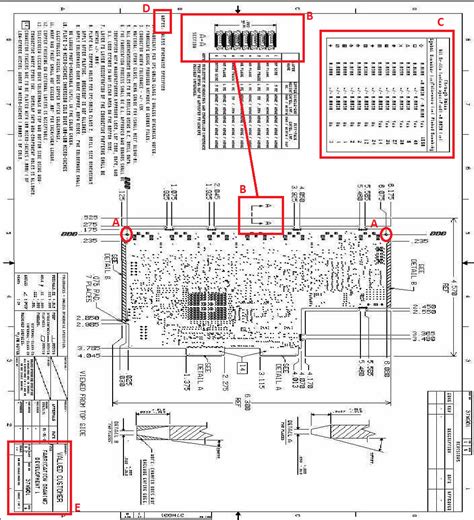
In the realm of PCB production, assembly drawings play a critical role in ensuring the successful transformation of design into functional electronic circuits. These drawings serve as a vital reference for manufacturers, providing necessary details about the components and their placement on the printed circuit board (PCB). Clear and precise assembly drawings not only enhance communication between design engineers and production teams but also minimize potential errors during the manufacturing process.
The use of pcb assembly documents can significantly impact production efficiency. They help to streamline workflows by clearly outlining the specifications and requirements for each component, leading to more accurate assembly and testing of the final product. Moreover, well-crafted PCB assembly documentation reduces the chances of miscommunication, which can lead to costly mistakes or reworks. By focusing on clarity and detail, companies can elevate their quality standards and achieve smoother operations.
The importance of accurate pcba diagrams cannot be overstated; they are essential for identifying pin connections, component values, and placement orientation. In addition to guiding assembly lines, these drawings function as a training tool for new employees who may be unfamiliar with complex circuit designs. Therefore, investing time in creating high-quality assembly drawings not only supports immediate production needs but also contributes to long-term organizational knowledge.
Here’s a simplified table highlighting key elements found in effective pcb assembly documents:
| Element | Importance |
|---|---|
| Component Layout | Ensures correct positioning on the PCB |
| Schematic Symbols | Facilitates easy identification of components |
| Orientation Indicators | Avoids incorrect placement during assembly |
| Reference Designators | Helps track components throughout design iterations |
| Notes on Specifications | Clarifies requirements, reducing ambiguity |
In conclusion, understanding the importance of assembly drawings is pivotal for optimizing PCB design and production processes. By prioritizing accuracy in these essential documents, organizations can enhance overall operational efficiency and drive down manufacturing errors in later stages.
Best Practices for Creating Clear and Accurate PCB Assembly Drawings
Creating clear and accurate PCB assembly drawings is a fundamental aspect of effective PCB design and production. A well-structured assembly drawing serves as a vital communication tool between designers, engineers, and manufacturers, providing essential insights into the PCBA process. Firstly, it is crucial to incorporate standardized symbols and notations that are widely recognized in the industry. This practice not only enhances clarity but also minimizes misunderstandings that might arise during assembly. Secondly, including detailed annotations can significantly improve the readability of the drawings; specifying component values, placement instructions, and other vital information ensures that assembly teams can execute their tasks with precision.
Additionally, employing a consistent layout across all assembly drawings fosters an intuitive understanding of the design intent. Utilizing layers effectively in a PCB assembly drawing software can segregate information like mechanical dimensions from electronic components, thus preventing clutter. Furthermore, engaging in regular reviews and revisions of these documents should not be overlooked; iterative updates enable teams to address potential discrepancies proactively before reaching the production phase.
Lastly, integrating feedback from assembly personnel can lead to continuous improvement of the drawings. By understanding practical challenges encountered during the assembly process, designers can refine their drawings to better suit real-world applications. Such practices ultimately enhance both clarity and accuracy in PCBA, thereby streamlining the entire manufacturing pipeline while reducing the likelihood of costly errors.
Tools and Software for Optimizing PCB Assembly Drawings
In today’s fast-paced technology landscape, utilizing advanced tools and software is crucial for optimizing PCB assembly drawings. Various applications are designed specifically to assist engineers and designers in creating high-quality PCBA documentation that meets industry standards. These tools provide features such as automated layout adjustments, which help in reducing manual errors, and powerful visualization options that enhance the interpretation of complex designs. Furthermore, employing software that integrates with existing Electronic Design Automation (EDA) systems can streamline the workflow significantly, enabling seamless transitions from design to production.
Among the most popular tools is the use of Computer-Aided Design (CAD) software, which allows for the digital creation of assembly drawings with precision. These platforms often come with libraries of pre-defined components that ensure consistency and accuracy throughout the design process. Additionally, some software includes collaborative features that enable multiple team members to work simultaneously on a project, fostering communication and improving overall efficiency.
Moreover, utilizing simulation tools can identify potential issues within PCB assembly steps before they reach the manufacturing stage. This proactive approach not only helps in catching errors early but also aids in reducing production costs by minimizing rework and waste. As technology continues to advance, staying updated with the latest tools will empower PCB designers to enhance their drawing quality while ensuring that their PCBA processes are as efficient as possible. Ultimately, adapting these solutions is a key strategy for maintaining competitive advantage in the dynamic field of electronics manufacturing.
Techniques for Improving Efficiency in PCB Assembly Documentation
Effective PCB assembly documentation is crucial in ensuring a smooth production process. To enhance efficiency, it is essential to adopt structured techniques that promote clarity and usability. One effective approach is to implement standardized formatting across all assembly drawings. This includes consistent labeling of components and using clear, easily interpretable symbols to represent different elements within the design. Utilizing high-quality visual aids such as 3D models can also significantly aid in understanding complex layouts and spatial arrangements, providing a more comprehensive perspective on the final product.
Incorporating dynamic annotations within the documentation not only improves communication but also helps in pinpointing essential details related to component specifications and assembly instructions. Some practices that augment efficiency include integrating color codes based on the type or function of components, thus allowing for quicker identification during assembly processes.
Additionally, leveraging collaborative PCB design tools fosters engagement among various team members, ensuring that everyone involved—designers, engineers, and assemblers—has access to the latest information and can contribute insights. This collaborative effort streamlines updates and modifications while reducing potential friction during production stages.
In summary, implementing these techniques will not only optimize PCB assembly documentation but also enhance overall production efficiency by minimizing errors associated with miscommunication or ambiguous instructions. By focusing on clarity and ease of use, teams can navigate the complexities of PCBA processes with greater confidence and proficiency.
Common Errors in PCB Assembly Drawings and How to Avoid Them
When it comes to PCB assembly (PCBA), the precision of assembly drawings plays a crucial role in the overall success of the production process. However, errors in these drawings can lead to significant challenges during manufacturing. One common mistake is the lack of detail, which could result in misinterpretations by assembly personnel. Vague labels and symbols can cause confusion, leading to incorrect placements of components and ultimately impacting the functionality of the final product. To avoid this, it is essential to ensure that each component is clearly identified with accurate part numbers and descriptions. Another frequent error is inconsistencies between the assembly drawing and other documents, such as schematics or BOM (Bill of Materials). Such discrepancies can create unnecessary delays and increase costs due to rework. To mitigate these issues, regular audits between documents should be performed to ensure consistency throughout the design process. Additionally, failing to account for manufacturing tolerances in assembly drawings can make it challenging for assembly teams to achieve quality results. Designers should thus factor in tolerances relevant to both component placement and soldering processes. By addressing these common errors through meticulous attention to detail and maintaining a comprehensive review process, teams can greatly enhance their efficiency and minimize risk, ultimately leading to a smoother PCBA workflow.
Streamlining the Manufacturing Process through Improved Assembly Drawings
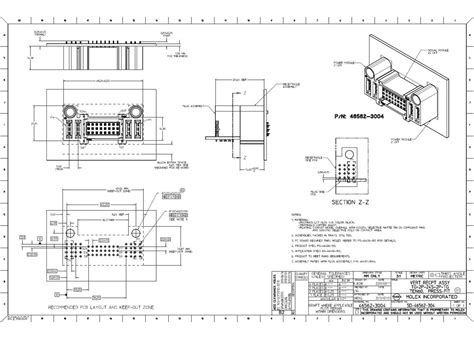
Optimizing assembly drawings is critical to enhancing the efficiency of the PCB production process. High-quality, accurate PCB assembly drawings serve as a blueprint, guiding every stage from design to fabrication. When these drawings clearly represent the layout, component placements, and connection points, they reduce ambiguity, which is a common source of errors in production. By employing best practices such as comprehensive labeling and degenerate dimensions, manufacturers can ensure that all stakeholders—from engineers to assembly line workers—have a mutual understanding of the assembly requirements for the PCBA. Moreover, utilizing advanced design tools can further streamline this process by automating routine tasks and enabling real-time collaboration among team members. Effective communication of design intent through assembly drawings not only minimizes mistakes but also accelerates production timelines, resulting in lower costs and faster time-to-market. Ultimately, focusing on the clarity and accuracy of these documents is essential for achieving a smooth manufacturing process in PCB assembly, significantly impacting overall product quality and reliability.
Case Studies: Successful Implementation of Optimized Assembly Drawings in PCB Design
In various industries, the shift towards optimizing PCB assembly drawings has led to significant improvements in production outcomes. For instance, a leading electronics manufacturer implemented a comprehensive review of their assembly documentation, focusing on enhancing clarity and reducing ambiguity in their PCBA instructions. By adopting standardized symbols and detailed annotations, they achieved a remarkable decrease in assembly errors, resulting in a 30% reduction in rework time. Another notable case involved a startup that specialized in custom PCB fabrication. They utilized advanced software tools to create interactive assembly drawings, which not only streamlined the design process but also facilitated better communication between design engineers and production staff. This integration of technology aided both stakeholders to visualize the final product effectively, thereby enhancing teamwork and efficiency. These cases illustrate that investing time and resources into the optimization of PCB assembly documentation not only minimizes errors but also fosters a more productive manufacturing environment that supports high-quality outcomes.
Conclusion
In summary, optimizing assembly drawings for PCB production is crucial for achieving a smooth and efficient manufacturing process. By focusing on best practices such as clear labeling, accurate dimensions, and comprehensive notes, teams can mitigate common errors that often arise during the PCB assembly process. Additionally, leveraging modern tools and software can significantly enhance the clarity and accuracy of PCBA documentation, thereby improving communication among engineers and manufacturers. The integration of techniques aimed at streamlining the workflow, like standardized formats and templates, can further reduce the chances of miscommunication. The goal is to ensure that every detail is meticulously documented, facilitating a successful outcome in the final product. Ultimately, precise assembly drawings not only serve as a blueprint for production but also act as a safeguard against potential setbacks during assembly. Through continued improvement and adherence to established best practices in PCB design and production, businesses can enhance their operational efficiency while delivering high-quality electronic products.
FAQs
What is the purpose of PCB assembly drawings?
The primary purpose of PCB assembly drawings is to provide clear instructions for the assembly process. These drawings illustrate where each component should be placed on the printed circuit board (PCB) and ensure that all parts are correctly installed, which helps to minimize errors during manufacturing.
What are the essential features of an effective PCB assembly drawing?
An effective PCB assembly drawing should include detailed component placement, accurate dimensions, and clear labeling. Additional features may include a bill of materials (BOM) and specific notes or symbols that provide information on solder types, test points, or any special requirements for the PCBA process.
How can I optimize my PCB assembly drawings?
To optimize your PCB assembly drawings, consider utilizing specialized software that allows for easier editing and updating. Applying consistent symbols and standardized notations can also enhance clarity. It’s crucial to avoid overly complex designs that could confuse manufacturers.
What common errors occur in PCB assembly documentation?
Common errors in PCB assembly documentation include mislabeling components, missing polarity indicators, and inconsistencies between the schematic diagrams and the physical layout. These errors can lead to costly mistakes during production.
How does improving PCB assembly drawings streamline production?
Improving PCB assembly drawings leads to a more efficient manufacturing process by reducing preparation time, decreasing potential errors in component placement, and ensuring better communication between design teams and production staff. This ultimately enhances overall productivity.
For more detailed guidance on optimizing your pcb assembly, please click here: Andwin PCB Assembly