
PCB Design Using PADS: A Comprehensive Guide
Introduction to PCB Design and PADS
Printed Circuit Board (PCB) design is a crucial aspect of modern electronics, enabling the development of compact, efficient, and reliable electronic devices. Among the various PCB design tools available, Mentor Graphics PADS (now part of Siemens EDA) stands out as a powerful and user-friendly solution for both beginners and professionals. PADS provides a robust platform for schematic capture, PCB layout, and signal integrity analysis, making it a preferred choice for many engineers.
This article explores the key features of PADS, its workflow, advantages, and best practices for designing high-quality PCBs.
1. Overview of PADS PCB Design Software
PADS is a suite of PCB design tools that includes:
- PADS Logic – For schematic capture and design entry.
- PADS Layout – For PCB design and routing.
- PADS Router – An advanced autorouter for high-speed designs.
- HyperLynx – For signal integrity, power integrity, and thermal analysis.
PADS is widely used in industries such as automotive, aerospace, consumer electronics, and telecommunications due to its scalability, ease of use, and advanced features.
2. Key Features of PADS
2.1. Schematic Design with PADS Logic
- Intuitive Interface: Allows engineers to create schematics efficiently.
- Component Management: Supports extensive library management for resistors, capacitors, ICs, and custom components.
- Hierarchical Design: Enables modular design approaches for complex circuits.
- Design Rule Checks (DRC): Ensures schematic integrity before PCB layout.
2.2. PCB Layout with PADS Layout
- Layer Stackup Management: Supports multi-layer PCB designs with controlled impedance.
- Constraint-Driven Design: Allows setting electrical and physical constraints for traces, vias, and clearances.
- Real-Time DRC: Prevents errors during routing and component placement.
- Copper Pour & Thermal Management: Enhances power distribution and heat dissipation.
2.3. Advanced Routing with PADS Router
- High-Speed Routing: Supports differential pairs, length matching, and impedance control.
- Autorouting Capabilities: Reduces manual routing time while maintaining design rules.
- Interactive Routing: Provides real-time feedback for optimal trace placement.
2.4. Signal and Power Integrity with HyperLynx
- Pre-Layout and Post-Layout Simulation: Analyzes signal reflections, crosstalk, and EMI.
- Power Delivery Network (PDN) Analysis: Ensures stable power distribution.
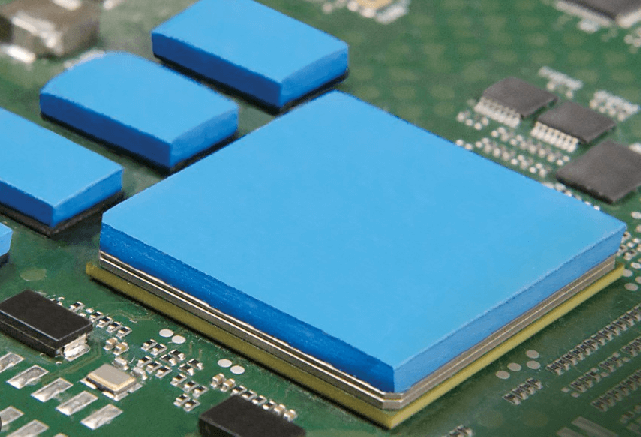
- Thermal Analysis: Predicts hotspots and improves thermal management.
3. PCB Design Workflow in PADS
3.1. Schematic Capture
- Create a New Project: Define project settings and design requirements.
- Place Components: Select parts from libraries or create custom symbols.
- Wire Connections: Draw nets to establish electrical connections.
- Run DRC: Verify schematic correctness before proceeding to PCB layout.
3.2. PCB Layout
- Import Netlist: Transfer schematic connections to the PCB environment.
- Define Board Outline: Set PCB dimensions and mechanical constraints.
- Component Placement: Arrange components for optimal signal flow and manufacturability.
- Routing: Manually route critical traces and use autorouting for less critical paths.
- Copper Pour & Ground Planes: Add power and ground planes for better EMI performance.
- Final DRC: Ensure no design rule violations exist before fabrication.
3.3. Verification and Analysis
- Signal Integrity Checks: Use HyperLynx to simulate high-speed signals.
- Thermal Analysis: Identify potential overheating issues.
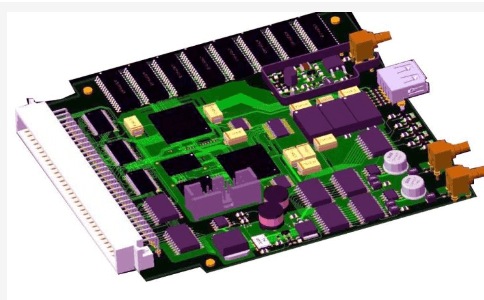
- Generate Manufacturing Files: Export Gerber files, drill files, and assembly drawings.
4. Advantages of Using PADS for PCB Design
4.1. User-Friendly Interface
PADS offers a streamlined workflow, reducing the learning curve for new users while providing advanced features for experts.
4.2. Scalability
From simple 2-layer boards to complex HDI (High-Density Interconnect) designs, PADS scales to meet various project requirements.
4.3. High-Speed Design Support
With built-in tools for differential pairs, length tuning, and impedance control, PADS is ideal for modern high-frequency applications.
4.4. Integration with Other Tools
PADS seamlessly integrates with Siemens’ Xpedition and other EDA tools, enabling collaboration across teams.
4.5. Cost-Effective Solution
Compared to high-end tools like Cadence Allegro, PADS provides a balance between functionality and affordability.
5. Best Practices for PCB Design in PADS
5.1. Organize Schematic Hierarchically
- Use hierarchical blocks for complex circuits to improve readability.
- Label nets clearly to avoid confusion during PCB layout.
5.2. Optimize Component Placement
- Group related components to minimize trace lengths.
- Consider thermal management by spacing high-power components appropriately.
5.3. Follow Design Rules
- Define trace widths, clearances, and via sizes early in the design process.
- Use constraint managers to enforce high-speed design rules.
5.4. Use Autorouting Wisely
- Autoroute non-critical signals but manually route high-speed and sensitive traces.
- Review autorouted paths to ensure compliance with design constraints.
5.5. Perform Simulations Early
- Use HyperLynx for pre-layout analysis to avoid costly redesigns.
- Check signal integrity for high-speed interfaces like DDR, PCIe, and USB.
5.6. Verify Manufacturing Constraints
- Consult with PCB fabricators to ensure design compatibility with their processes.
- Avoid excessively thin traces or impractical via sizes that may affect yield.

6. Conclusion
PADS is a versatile and powerful PCB design tool that caters to a wide range of applications, from simple consumer electronics to advanced aerospace systems. Its combination of schematic capture, layout, routing, and simulation tools makes it a comprehensive solution for modern PCB design challenges. By following best practices and leveraging PADS’ advanced features, engineers can create high-performance, manufacturable, and reliable PCBs efficiently.
As technology evolves, tools like PADS will continue to play a pivotal role in enabling faster, more efficient electronic product development. Whether you are a beginner or an experienced designer, mastering PADS can significantly enhance your PCB design capabilities.